
UniFi Protect 7.2 Is All About Proof: Verified Video Evidence, Chain-of-Custody, and Smarter AI
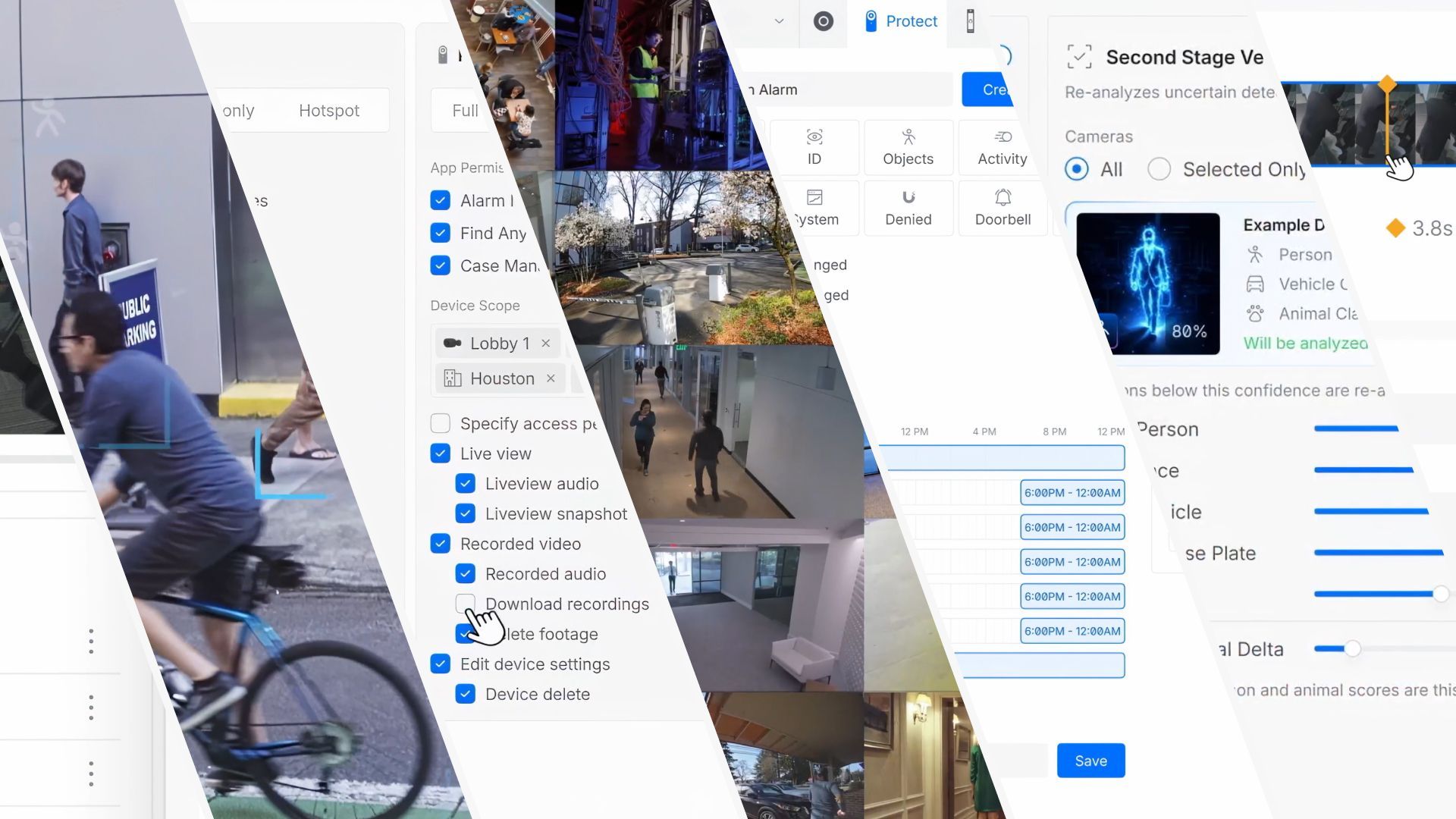
Ubiquiti shipped UniFi Protect 7.2 at the end of July 2026, and this one is aimed squarely at professional installers and large-scale deployments. There are no flashy consumer gimmicks here — every headline feature is about turning your camera system into something a lawyer, an insurer, or an auditor will actually believe: verified evidence, tracked investigations, and AI that makes fewer mistakes. Here is everything that is new, and why each piece matters on real job sites.
Evidence You Can Verify
The flagship feature of 7.2 is the all-new Evidence System. From the moment a clip is captured, it can be cryptographically fingerprinted with a SHA-256 hash and digitally signed. When you download a clip as evidence, you (or anyone else — opposing counsel, an insurance adjuster, a court) can verify its authenticity at evidence.ui.com. Authentic videos are confirmed; anything altered or tampered with is automatically flagged.
Why this is a big deal: video exports have always been the weak link in the chain of trust. Anyone can take an MP4 into an editor, change a frame, re-export it, and claim it is raw footage. A hash you compute after the fact proves nothing about when the fingerprint was taken. By signing at capture time on the NVR, Protect closes that gap — footage now has a verifiable chain of trust from the camera all the way to the download. Best part? Enrollment is site-wide and requires no licenses or subscriptions. If you have ever needed footage to hold up in a legal proceeding, this feature alone justifies the update.
- Cryptographic fingerprinting happens at capture time
- SHA-256 hashing with secure signing on the NVR
- Anyone can verify a downloaded clip at evidence.ui.com
- Site-wide enrollment, no licensing fees
Case Management with Chain-of-Custody Tracking
Closely tied to the Evidence System is Protect 7.2’s advanced case management, built for how real investigations actually run. Investigations are never just about the footage — they are about who looked at the footage, when, and whether anything that left the system was intact. Protect 7.2 tracks all of it:
- Integrated case management workflows inside UniFi Protect
- Chain-of-custody visibility for every case asset
- Per-user tracking of which assets were viewed, accessed, and downloaded
- A clear audit trail from incident review through final resolution
For security teams handing evidence to law enforcement, or for compliance-driven businesses that have to prove their procedures, this turns “trust me, it’s original footage” into an auditable record showing exactly who touched what. Combined with signed evidence, a case file in Protect 7.2 looks a lot like what enterprise-grade evidence platforms charge serious money for — and it is built into the controller.
Expanded ONVIF Camera Control
UniFi Protect has supported ONVIF cameras for a while, but 7.2 goes a long way toward making third-party cameras first-class citizens. The expanded ONVIF support gives you:
- Centralized management of recording and encoding settings on supported third-party cameras
- Synchronization of ONVIF cameras to a common UniFi time server — which sounds small but is huge when you’re correlating events across a mixed fleet
- Camera I/O port support for trigger-and-action automations, same as native UniFi cameras
This is Ubiquiti telling the market that you can migrate an existing mixed-brand deployment onto Protect without losing the control you had before. For installers working on sites with leftover Axis, Bosch, or Hanwha cameras that still have years of life left, being able to manage encoding and schedules centrally — and wire I/O triggers into Protect automations — removes one of the last reasons to keep a competing VMS in the rack.
Smarter Point of Sale Integration
Retail loses more money to shrink than most owners realize, and tying transactions to video is how you prove it. Protect 7.2 continues to grow Point of Sale support with a flexible Point of Sale API, letting retail and commercial teams connect transactions with video context:
- A flexible POS API for event correlation
- Broad compatibility with third-party POS platforms
- Faster transaction-based video search using POS metadata
If a till gets flagged for a refund discrepancy, you want to jump straight to the video at that timestamp — for that register — without scrubbing an hour of footage. POS metadata search has been a Pro-grade feature on enterprise VMS platforms for years, and Protect’s API approach widens the range of systems you can wire in beyond the usual integrations.
Real-Time PPE Detection — With a Smarter AI Second Opinion
Two AI features in 7.2 work hand in hand, and they’re my favorite part of this release for working deployments:
Real-time PPE detection on AI Key-equipped cameras flags potential safety issues as they happen — the classic construction site and warehouse use case. Hard hats, high-vis vests, and other required personal protective equipment get monitored automatically, so safety teams get an alert when someone walks onto the floor without their gear instead of discovering it on an incident report weeks later.
Second-Stage AI Verification is the more interesting one under the hood. When a camera’s edge AI produces a low-confidence detection — or competing classifications for the same object — Protect 7.2 can check those events against a more powerful second-stage model before alerting. The result is exactly what every security operations center wants: fewer false reports, better classification accuracy, and higher-confidence AI across the deployment. Fewer false alarms means people stop ignoring alerts, which is the real failure mode of most AI camera systems.
A Smarter Mobile App
The UniFi Protect mobile app picks up two quality-of-life upgrades that I will actually use:
- Frame-by-frame scrubbing right on the timeline — when someone is reading a license plate or a face is crossing a frame boundary, one frame is the difference between an ID and a shrug
- New customizable widgets that can fire actions instantly — unlocking doors through superlink relays and controlling UniFi PoE floodlights — so the essentials are one tap from the home screen
Global Visibility in Site Manager
Finally, Site Manager gains a native multi-tenant, multi-site view of global physical security deployments — monitoring and management across sites, tenants, and infrastructure from one place, including multi-site visibility with video walls. This is Ubiquiti building for distributed organizations: single-pane-of-glass oversight without a separate enterprise VMS, which is exactly where UniFi Protect has been pushing for the last few generations.
Should You Upgrade?
If you run Protect on supported hardware, yes — this is a firmware/controller update to 7.2, not a hardware purchase, and nothing about it breaks existing workflows. Enroll sites in the Evidence System before you need it in a hurry: it protects footage going forward, so the audit trail is strongest for the camera time after enrollment.
For the installer-led sites I work on, the combination that sells this release is Evidence System + case management + ONVIF: it lets you consolidate mixed-brand camera fleets onto Protect while gaining a chain-of-custody story you can show a customer, an insurer, or a judge. That’s a genuinely rare value proposition at this price point, and it’s why I’m rolling 7.2 out first on the sites where footage actually matters. The full official announcement is on the Ubiquiti blog — check it for rollout notes and supported hardware. As always, if you’re planning a Protect deployment or an upgrade from a mixed fleet, reach out and let’s talk.
