
Synology DS925+ Review: The 4-Bay NAS That Quietly Became the Default Answer
The four-bay Plus-series NAS is the sweet spot of the whole storage industry, and Synology’s DS925+ is the current champion of that segment. It is not the cheapest box with four trays, and it is not the fastest on a spec sheet. It is the one that most installers end up recommending when a client says some version of “I want my files, my backups, my cameras, and my media library in one box that my spouse will also agree to keep running.” After the launch hype settled and real reviews landed, the DS925+ looks less like an iteration and more like the consolidation of everything Synology has learned about selling small-business storage.
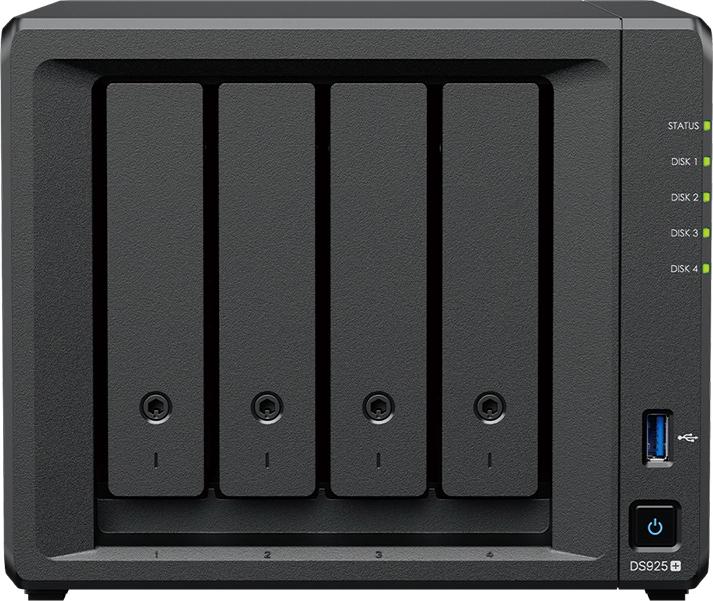
The spec sheet, verified from Synology
- CPU: AMD Ryzen V1500B, quad-core/8-thread at 2.2 GHz (x86_64, ECC memory support)
- Memory: 4 GB DDR4 ECC SODIMM stock, expandable to 32 GB with the two official expansion modules
- Networking: two built-in 2.5GbE RJ-45 ports with link aggregation support
- Performance: up to 522 MB/s read / 565 MB/s write sequential (Synology quoted, aggregated link)
- Bays: 4 internal (2.5″ and 3.5″ SATA, plus SATA SSD support), expandable to 9 drives with the DX525 expansion unit — up to 216 TB raw with 24 TB drives
- M.2: two NVMe slots usable for cache or storage pools — the big philosophical change from the DS923+ era
- Surveillance: officially supports up to 40 IP camera channels under Surveillance Station (license included per Synology’s marketing for the small-office line)
- Software: DSM 7.4.x with Hyper Backup, Snapshot Replication, Synology Drive, Active Backup suite, and C2 cloud integration
- Street price: roughly $600–$650 diskless (launch review pricing landed at about $640)
What actually changed from the DS923+
The DS925+ keeps the same physical envelope and the same four-bay DNA, but the two changes matter to installers. First, dual 2.5GbE is now standard, and aggregating both links is how Synology quotes over 5 Gbps throughput — the box can genuinely feed a 5GbE switch or a small office all-flash tier without a $300 add-in card. Second, the M.2 NVMe slots stopped being cache-only ornaments. DSM now lets M.2 drives live inside storage pools, which means you can build an all-flash four-bay (with the right adapter choices) or a proper mixed tier inside the same volume. That is a meaningful shift for anyone mixing video editing or database work with archival storage.
Use cases where it earns its rack space
The house file server. This is the bread and butter. Photographers, video editors, and work-from-home households buying 4× 20 TB drives in SHR and running Synology Drive for live folder sync. The ECC memory support and snapshot tooling are what separate it from cheaper quad-bay boxes in the same money bracket.
Small-office backup target. Active Backup for Business backs up physical machines, VMs, and M365 seats without per-seat licensing — the single reason many MSPs still standardize on Synology. Add Hyper Backup pushing an encrypted copy to C2 or a second DS925+ and a typical five-seat office has a genuinely respectable 3-2-1 story.
40-camera surveillance. Surveillance Station’s 40-channel ceiling and per-camera licensing make it a viable NVR for a small shop or farm, and the two M.2 slots let you put the camera write-heavy tier on NVMe where spinning disks choke. If cameras are the primary mission, count the licenses carefully — the marketing counts channels, not always included licenses per camera.
Edge and lab. Container Manager means the box doubles as a light home-lab host — DNS, monitoring, dashboards — while the storage duties keep running. It is the “one box does storage plus the services that touch storage” answer.
Living with DSM 7.4 on the DS925+
The software is the product as much as the hardware. Storage Manager handles the pools and the SHR layouts — SHR-1 tolerates one drive failure like RAID 5, SHR-2 tolerates two, and mixed drive sizes from different purchase batches can live in the same pool, which is exactly what a growing shop actually buys over time. Snapshot Replication runs immutable snapshots on a schedule and can replicate to a second Synology anywhere with network access, which is your ransomware insurance policy. Hyper Backup layers versioned, encrypted copies to external drives or C2 Storage on top of that.
Active Backup for Business covers physical PCs, VMware and Hyper-V guests, and M365/Google Workspace seats with no per-seat license fees on the local workloads — that licensing posture is the quiet headline of the whole Plus line. Synology Drive gives you a Dropbox-shaped user experience with folders that live on your own hardware. Surveillance Station handles the 40-camera ceiling, and Container Manager lets the box run the usual dockers — DNS filtering, dashboards, downloaders — while the storage duties run untouched. For a single-server small office, that consolidation is the entire value proposition, and the Ryzen V1500B has plenty of headroom for it.
Two practical installer notes. First, buy the ECC SO-DIMMs with the box — third-party non-ECC modules work but defeat the point of an ECC-capable platform, and DSM’s memory check will tell you so. Second, populate both M.2 slots at the start even if you only need cache today; the slots disappear inside the case, and using a pair in a RAID-1 cache volume or a small all-flash pool later costs nothing extra now. Pair the box with a 2.5GbE switch (or a 2.5GbE adapter on the one machine that moves big files), plug both ports, and set the bond to the aggregate mode DSM recommends for your switch.
Pros and cons honestly
Pros: dual 2.5GbE standard; M.2 NVMe usable for storage pools, not just cache; ECC memory support; the most mature NAS software in the industry (DSM); no per-seat backup licensing for most workloads; huge official accessory and drive compatibility list; near-silent in normal operation.
Cons: drive tray design is unchanged since the 9-series began, hot-swap backplane is SATA-6G (M.2 is where the speed went, not the trays); quoted 522/565 MB/s requires aggregated links, one gig port alone won’t show it; RAM upgrade needs Synology-branded ECC SODIMMs at Synology prices; Surveillance Station licensing can exceed the box price in big camera counts; the DX525 expansion unit is another few hundred dollars on top; fan noise under load is modest but not silent.
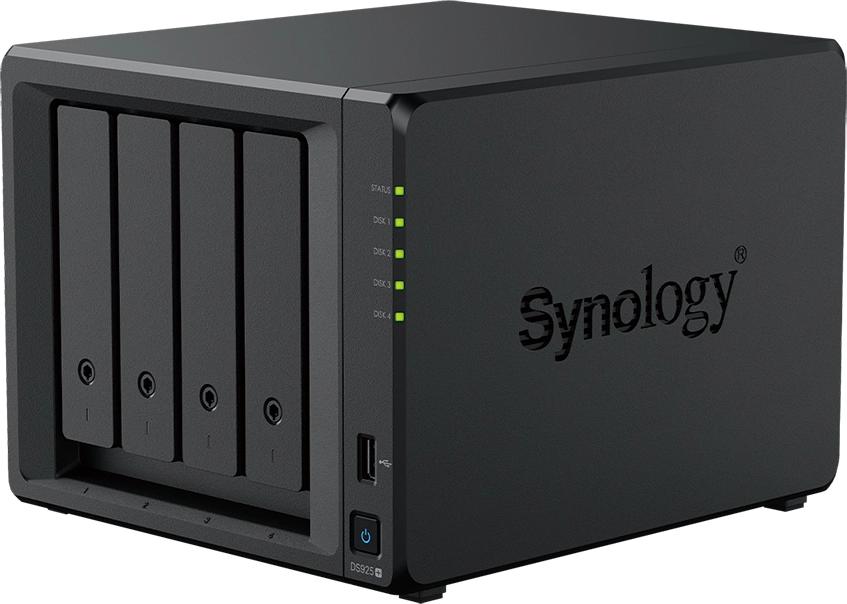
The bottom line
The DS925+ is the default four-bay precisely because it is the one box where the software, the warranty story, the accessory ecosystem, and the specs all say yes at the same time. You pay a premium over Asustor or QNAP for equivalent iron, but DSM and the licensing model routinely pay that premium back in the first year of a deployment. Buy it, put ECC memory in it immediately, run SHR-2 if you only have four bays, and point every backup in the building at it.
Sources
Specifications from Synology’s official DS925+ product page and data sheet; pricing from launch-market reviews. Feature claims (40-channel surveillance, M.2 storage pools, DX525 capacity) verified against Synology marketing. Product photos: Synology Inc.
Thinking about a Synology deployment sized correctly for your environment? Get in touch.
