
Ubiquiti UNAS Pro Review: A 10G Rack NAS Built for UniFi Shops
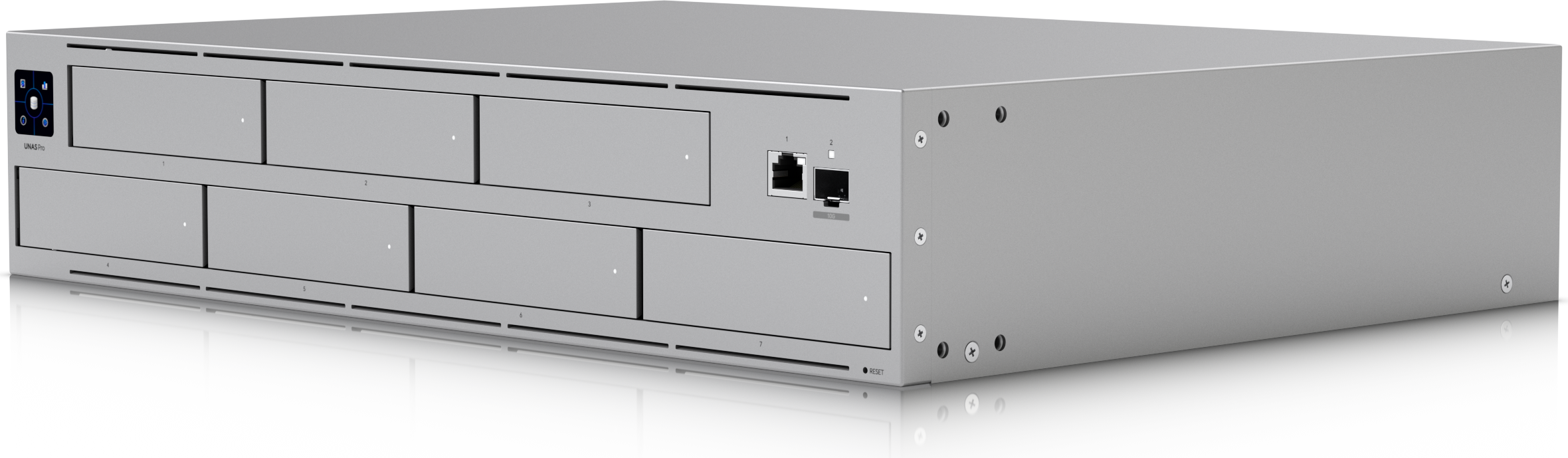
The UNAS Pro is Ubiquiti’s 2U rack-mount network attached storage appliance — seven big-drive bays, a 10 Gbps SFP+ uplink, and redundant power support in a box that list price sits at $499. For integrators who already run UniFi sites, it is the only NAS that lives natively inside the UniFi console, and it has quietly become one of the easiest “free-standing storage” sells in the mid-size business rack.
Who the UNAS Pro is really for
Ubiquiti’s own positioning puts the UNAS Pro at “large-scale file storage and sharing,” and the hardware backs that up in a specific way: this is a box designed to sit behind a UniFi gateway and switch stack on a single network, managed from the same console as the access points and cameras. If a client has five APs, two switches, and a UDM Pro, the UNAS Pro extends that ecosystem instead of bolt-ing on a third-party NAS you will never see in your dashboard. That single-pane-of-glass argument is worth real money in service-contract terms — one console to monitor, one alerting path, one vendor to escalate to.
Verified specifications (Ubiquiti official)
| Item | UNAS Pro (UNAS-Pro) |
|---|---|
| Form factor | 2U rack mount, 442.4 x 325 x 87.4 mm (17.4 x 12.8 x 3.4 in), SGCC steel |
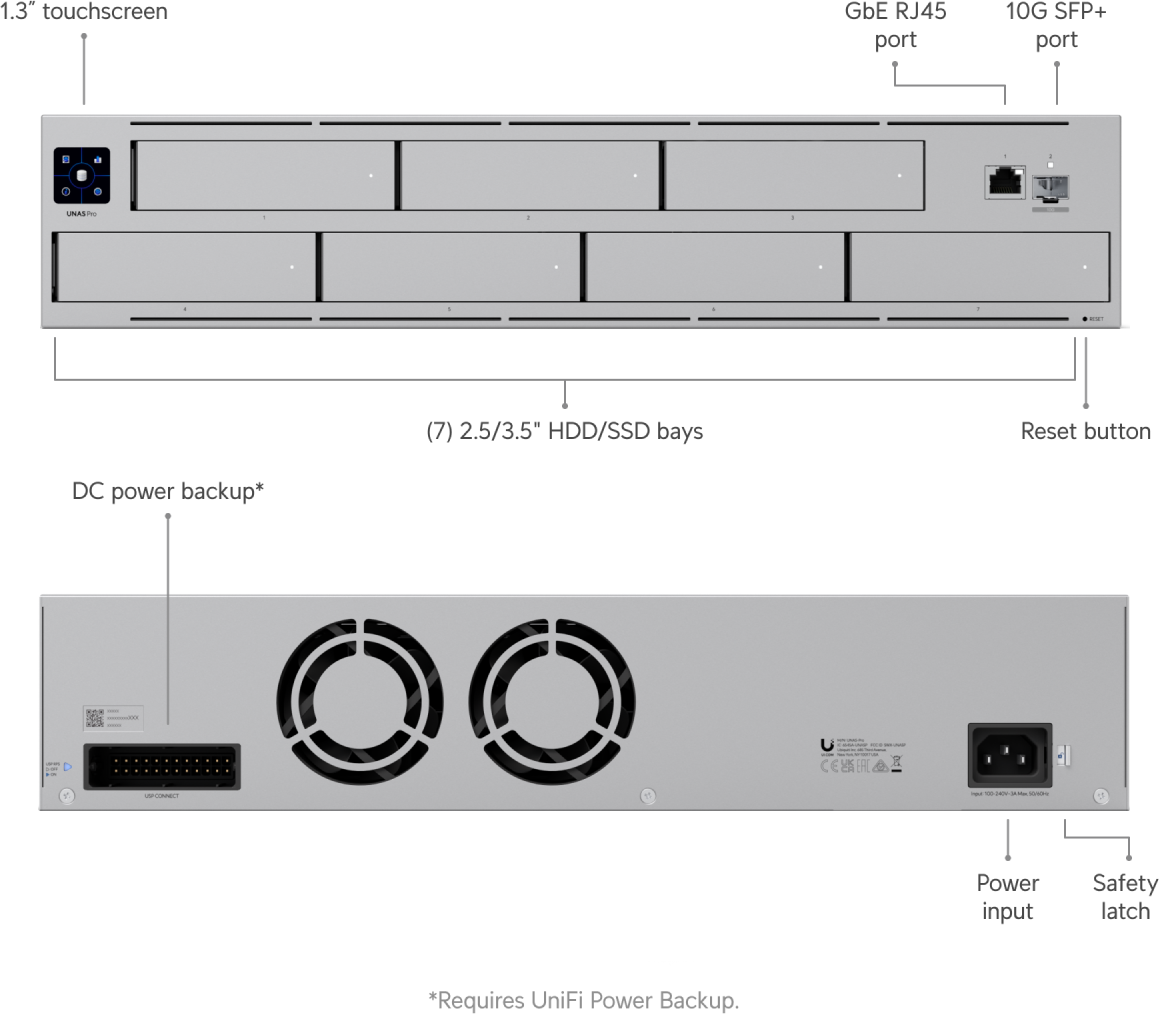
| Drive bays | (7) 2.5/3.5″ HDD/SSD bays; max drive power budget 135 W |
| Networking | (1) 10G SFP+ (10G/1G) + (1) GbE RJ45 (1G/100M/10M) |
| Processor / memory | Quad-Core ARM Cortex-A57 @ 1.7 GHz, 8 GB memory |
| Power | Internal 200W AC/DC (100–240V, 3A max) + USP-RPS DC input (11.5V, 13.91A) — redundant power capable |
| Max power draw | 160 W |
| RAID | RAID 5, 6, 10; multiple RAID groups; hot spare support |
| Protocols | NFS and SMB |
| Software features | UniFi Drive app (v1.16.0+), personal & shared drives, file encryption, snapshots, share links, Time Machine backup, user groups, client app support |
| Backup targets | Remote UNAS, CIFS/SMB server, cloud (Google Drive, OneDrive, Dropbox, Amazon S3, Backblaze B2, Wasabi) |
| Management | 1.3″ touchscreen, Bluetooth 4.1, LED status for Ethernet/SFP+/RPS/HDD; unifi.ui.com features |
| Operating range | -5 to 40°C (23–104°F), 5–95% noncondensing |
| Weight / rack | 9.2 kg (20.3 lb) without brackets; 19″ four-post racks, 650–1,000 mm depth |
| Compliance | NDAA compliant; FCC, CE, IC, Anatel |
| List price | $499 (UI Care 5-year coverage optional at $99/unit) |
Install notes from the field perspective
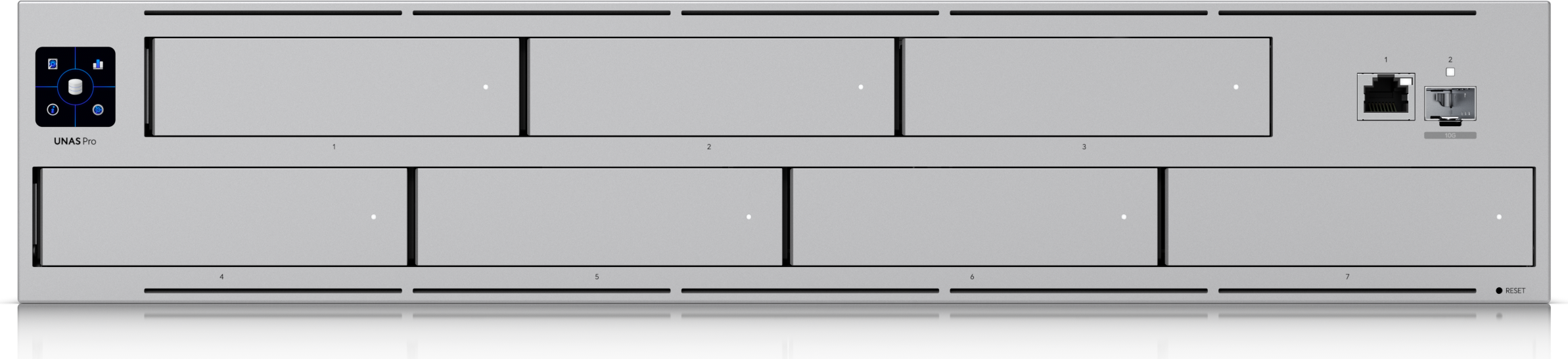
Rack depth matters. The UNAS Pro needs a four-post 19″ rack between 650 and 1,000 mm deep. That rules out the shallow wall-mount swing racks; plan a proper floor rack or at minimum an 800 mm depth frame. At just over 9 kg it is a one-person lift, but load the bottom of the rack where it belongs.
Bring your own disks. The unit ships without drives. Ubiquiti sells enterprise-grade 3.5″ SATA drives separately (from $699 per drive on the store config page), and the “3rd-Party Qualified HDD/SSD” tab on the product page exists because plenty of integrators spec their own enterprise SATA stock. Any mix of 2.5 and 3.5″ drives physically fits; keep total drive draw under the 135 W budget and remember the seven-bay RAID layout is where the real cost of this system lives — the $499 box is the cheap part of the quote.
Treat the SFP+ port as the data path. One 10G SFP+ and one 1G RJ45 means the only way to the advertised 10 Gbps performance is a direct-attach cable or fiber module straight into switching layer with SFP+ capacity. On a UniFi site, a Flex Mini 2.5G will not cut it — land it on a Pro or Enterprise switch SFP+ port or a UDM Pro/Pro Max/UXG uplink. The RJ45 is fine for management-only segmentation if you keep the storage VLAN on the fiber side.
Redundant power is an opt-in story. The internal 200W supply is standard equipment; the USP-RPS DC input and matching USP-RPS module are Ubiquiti’s redundancy play. For SMB clients with any uptime expectation it is an easy line item and stops the “what happens when the PSU dies” conversation cold. Pair it with the hot-spare bay: RAID 6 plus one global hot spare is the layout I quote by default.
Real-world use cases
1. UniFi Protect on its own box. Camera-heavy multi-site builds can offload recording onto dedicated storage presenting NFS/SMB into the UniFi Drive stack — keeping network appliance and storage duties on separate hardware is better engineering than cramming both into one UDM at a tiny price delta.
2. Creative and field-office file shares. Snapshots, share links, personal versus shared drives, user groups and Time Machine backups make this a legitimate small-team file server without a Windows Server CAL conversation. The 1.3″ front touchscreen means an office manager can see array health without any console at all.
3. Backup destination with a 3-2-1 story. Native backup to Google Drive, OneDrive, Dropbox, Amazon S3, Backblaze B2 or Wasabi gives you the off-site leg without a separate backup product on SMB budgets, and backup-to-remote-UNAS covers the two-sites-mirror-each-other topology nicely.
Pros and cons
Pros: native UniFi console management with a local touchscreen; 10G SFP+ standard; redundant power supported; RAID 5/6/10 with hot spare; built-in cloud backup targets; snapshot and Time Machine support included; NDAA compliant for government-adjacent work; aggressive list price for a feature set competitors charge double for.
Cons: no drives included; drive bays only, so no M.2 cache tier; the single RJ45 is 1G and the SFP+ cage is the only fast pipe — no second 10G port for link aggregation; the ARM platform means no x86 escape hatch for custom containers or Docker; and the 40°C ceiling matters in an unconditioned comms closet full of switches.
Bottom line
If your client already standardised on UniFi, the UNAS Pro is the default storage answer below enterprise scale: $499 plus enterprise drives buys a supported, monitored, snapshot-capable NAS that an installer can manage entirely from the console they already live in. Spec RAID 6 with a hot spare, land the SFP+ on a proper switch port, and quote the UI Care plan the same way you would any other life-safety-adjacent gear. If the account is mixed-vendor and needs iSCSI, aggregation, or x86 flexibility, the same money spent elsewhere still wins on ports and features — but for UniFi-first shops this is the easy call.
Specifications and pricing verified from the official Ubiquiti UNAS Pro product page (store.ui.com); product images courtesy of Ubiquiti.
Planning a UniFi storage refresh? Get in touch for a site assessment and quote.
