
Grandstream GWN7800 Pro Series Review: The L2++ Switch Line Where Pro Actually Means Something
Fifteen years in low-voltage and structured cabling will teach you one thing: the switch is where a budget either survives or bleeds out. Access points amortize, phones get replaced on refresh cycles, but the switch at the top of every cable bundle is what you live with for a decade. Grandstream’s GWN7800 Pro Series is the company’s answer to the question every integrator asks before speccing a small-to-medium campus: how much Layer 2++ do you actually get before the price gets boring?
What the GWN7800 Pro Series Actually Is
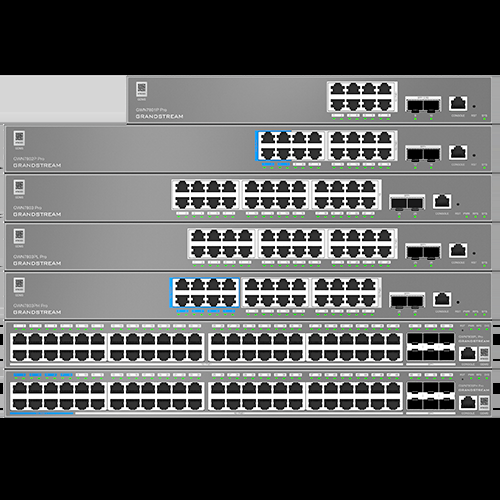
The GWN7800 Pro Series is Grandstream’s top rung of Layer 2++ managed switches, sitting above the original GWN7800 line. The headline changes over the base series are real, not marketing garnish: every model gets SFP or SFP+ uplinks supporting speeds up to 10Gbps, and Grandstream rates the Pro boards at double the CPU and RAM of the previous generation. In the field that translates to switch fabrics that don’t choke when you hang a wall of Wi-Fi 6/7 APs and a camera tree off the same closet.
Management runs five ways, which is the part that makes these easy to standardize on across mixed sites: an embedded controller in the WebUI, GDMS Networking (grandstream’s free cloud platform), the on-prem GWN Manager, management through a GWN-series router, or classic CLI over console, Telnet and SSH with SNMP v1/v2c/v3. Point a phone camera at the QR code on the chassis and the switch is in your GDMS account in about sixty seconds.
The Verified Specs, Model by Model
Here is the full lineup straight from Grandstream’s product page spec picker — no estimator numbers, no reseller folklore:
| Spec | GWN7803PL Pro | GWN7803PH Pro | GWN7806PL Pro | GWN7806PH Pro |
|---|---|---|---|---|
| Gigabit Ethernet ports | 24 | 24 | 48 | 48 |
| Gigabit SFP+ uplink ports | 2 | 2 | 6 | 6 |
| PoE ports | 24 | 24 | 48 | 48 |
| PoE standards | 802.3af/at | 802.3af/at/bt | 802.3af/at | 802.3af/at/bt |
| Total PoE budget | 250W (30W/port) | 400W (60W/port) | 400W (30W/port) | 720W (60W/port) |
| Non-blocking throughput | 44Gbps | 44Gbps | 108Gbps | 108Gbps |
| Switching capability | 88Gbps | 88Gbps | 216Gbps | 216Gbps |
| Forwarding rate | 65.472Mpps | 65.472Mpps | 160.704Mpps | 160.704Mpps |
Layer 2++ features are consistent across the range: up to 4K VLANs with 802.1Q tagging plus QinQ, MAC-based and protocol-based VLANs with auto voice VLAN (tagged and untagged OUI), jumbo frames to 12288 bytes, and up to 32 link aggregation groups depending on device. The security stack is unusually complete for this price bracket — 802.1X and MAC authentication, RADIUS and TACACS+ AAA, DHCP snooping with quaternary binding of IP/MAC/VLAN/port, dynamic ARP inspection, IP source guard, storm control, port security with sticky MAC and automatic error-down, and the full loop-protection family: loopback detection, BPDU guard and root guard. Firmware is signature-verified, and both IPv4 and IPv6 run as a dual stack with unicast routing.
Where This Thing Earns Its Rack Space
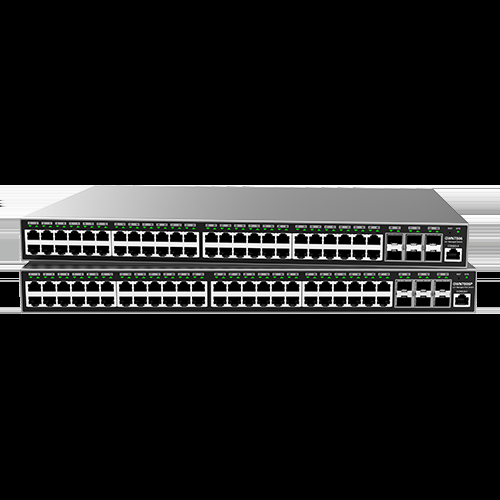
Distributed Wi-Fi plants. A single GWN7806PH Pro feeds 48 doors of Wi-Fi 6/7 APs on its PoE budget with headroom left for PTZ cameras pulling full 802.3bt. Grandstream’s own deployment guidance puts one Pro switch per floor in hotel work, and the smart power allocation handles it gracefully — per-port budgets, port prioritization when the remaining power gets tight, LLDP-MED negotiation, and time schedules that power ports down after hours. On the 720W PH model I size to 80 percent real-load and still sleep fine.
Multi-tenant and campus edges. This is where the L2++ kit pays rent. QinQ lets you carry tenant VLANs across your infrastructure untouched; MAC-based VLANs drop analogue/VoIP worlds into separate broadcast domains at the access port without a single static assignment; and 802.1X with RADIUS means the security consultant signs off without a change order. The education vertical gets the same story at scale — Grandstream markets the Pro series squarely at education and medical networks.
Camera-heavy builds. Storm control, DHCP snooping and dynamic ARP inspection (the anti-spoofing trio) are exactly the controls you want on a surveillance VLAN where a cheap camera with a malware habit can flat-line a floor with broadcast storms. Pro switches have the MAC table headroom (far beyond the base line) for dense camera populations.
Management: Five Ways Into the Same Switch
Pick whichever control plane fits the shop. The embedded WebUI controller is enough for a single-site drop-ship job: no account, no license, no callback. GDMS Networking is free cloud management for multi-site shops and takes the QR-code onboarding path — scan the chassis label and the switch appears in your org ready for VLAN assignment. GWN Manager is the on-prem answer for privacy-sensitive verticals like medical and education, and GWN-series routers can manage the switches directly so a single-vendor build stays single-pane. For the old-school crowd there is full CLI over console and SSH, SNMP v1/v2c/v3 for your NMS, plus RMON, syslog and LLDP/LLDP-MED for automatic endpoint discovery and provisioning. Every one of those paths feeds the same configuration model, which means a site standardized on GDMS today can be walked back to the WebUI tomorrow without redocuming the VLAN plan.
Pros and Cons, Installer Edition
Pros: genuine double the CPU/RAM over the base GWN7800 line; 720W PoE budget with 60W-per-port ceiling on the GWN7806PH Pro; six SFP+ cages at 10G on the 48-port models; five management paths including free cloud and embedded controller; QR-code onboarding; full ACL/DPI/source-guard security suite plus IPv6 dual stack; free management platforms with no per-device license.
Cons: the 24-port Pros only get two uplinks — fine for a closet, tight for a core; Pro-series SFP+ port counts vary by model, so read the spec picker per SKU, not the marketing banner; you don’t get full L3 routing — if you’re OSPF-shopping, that’s a GWN-router job; the CLI is functional old-school rather than anything pretty. And mind the P model PoE budget math: a fully-populated PoE+ design eats 400W of budget on a PL model fast — that’s why the PH exists.
Bottom Line
If the build is 24 doors or fewer and every port is PoE, order the GWN7803PH Pro and pocket the change. If you’re running a floor or two of APs, cameras and phones with six 10G hands into the core, the GWN7806PH Pro is the sweet spot of the range and one of the best value-per-PoE-watt switches on the market right now. Grandstream has quietly built the most complete L2++ feature list in its price class — the only question left is whether your customer will tolerate a second management platform, and with free GDMS, the answer is usually yes. Need a hand sizing PoE budgets or a refresh that doesn’t wake the whole VLAN on a Tuesday night? Get in touch.
One more thing worth saying out loud: the Pro line inherits Grandstream’s fault-detection tooling on the bigger boards — dual boot with dual system-file redundancy, temperature-based intelligent fan control, cable copper testing, and EEE power states on every port. None of that shows up on a spec-sheet headline, but it is exactly what separates a switch you manage once from a switch you revisit. If your standard is a five-year refresh window on the closet hardware and a management stack your junior techs can drive on day one, the GWN7800 Pro Series belongs on your approved list.
Specifications and product imagery sourced from Grandstream’s official GWN7800 Pro Series product page at grandstream.com. Imagery courtesy of Grandstream Networks.
