
TP-Link ER707-M2 Review: The Multi-Gigabit Gateway That Doesn’t Tax Your Fiber
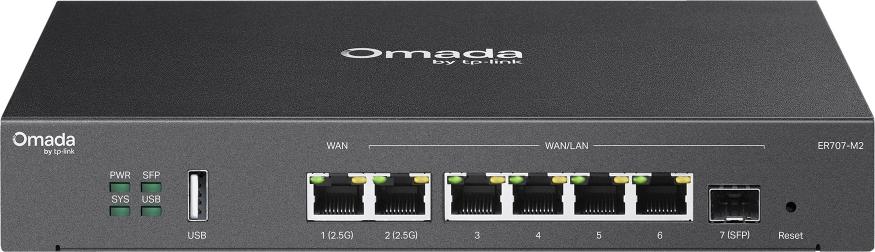
If your multi-gig broadband or fiber circuit is sitting behind a gateway that chokes the moment a VPN tunnel comes up, you’re leaving money on the table — and the ER707-M2 is TP-Link’s answer for shops that want the full 2.5G pipe with security switched on. This is the gateway I spec when a site needs serious throughput, a rack-shelf-friendly footprint, and sane per-site management under Omada without jumping to the flagship ER8411 price bracket.
What the ER707-M2 actually is
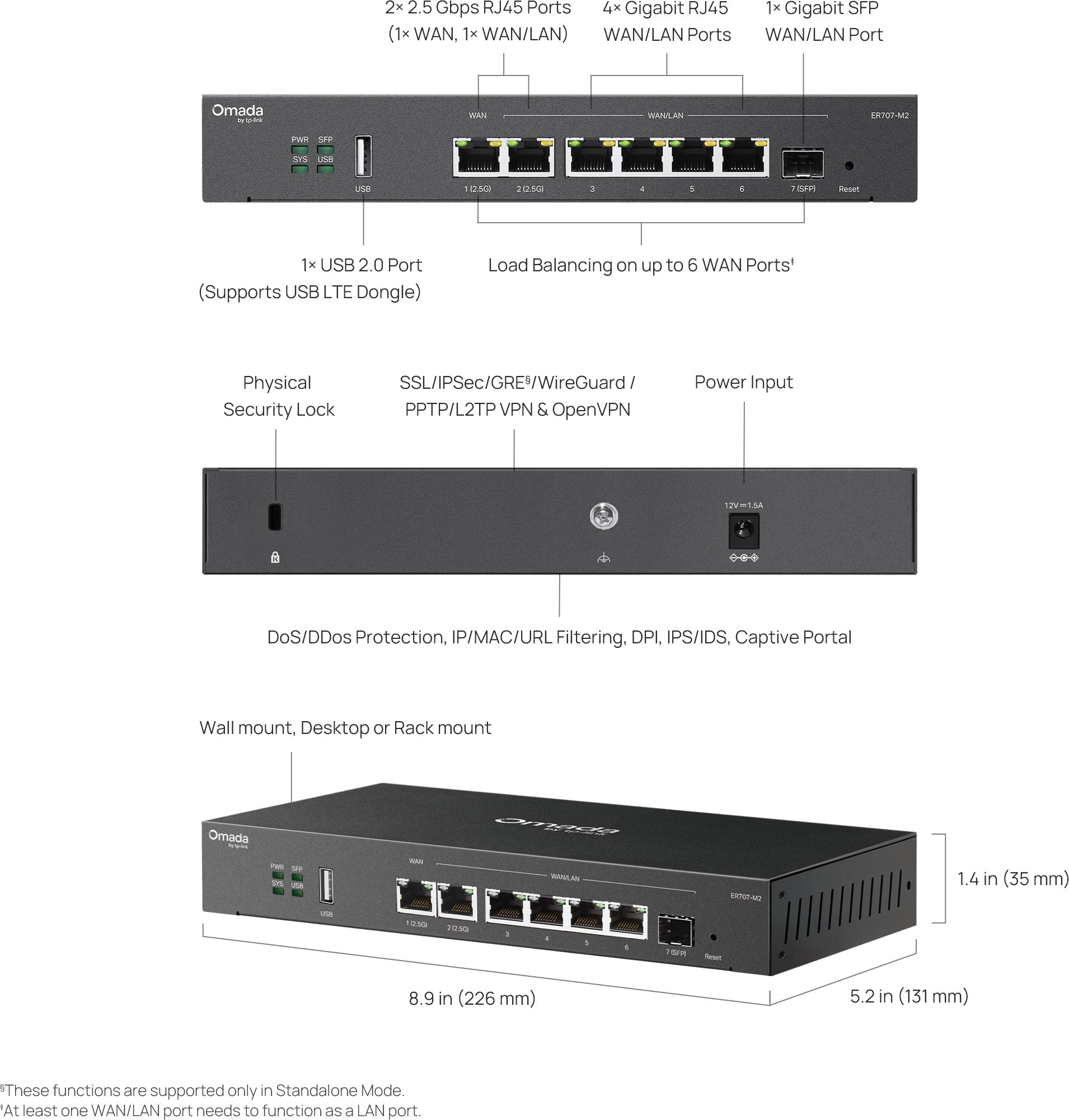
The ER707-M2 is Omada’s multi-gigabit VPN gateway: a dual-core ARMv8 router with two 2.5GbE RJ45 ports (one dedicated WAN, one WAN/LAN), a gigabit SFP WAN/LAN cage, four gigabit RJ45 WAN/LAN ports, and a USB 2.0 port that takes LTE backup dongles or USB storage. That means up to six WAN interfaces with load balancing and failover, which is a lot of uplinks for a box this size.
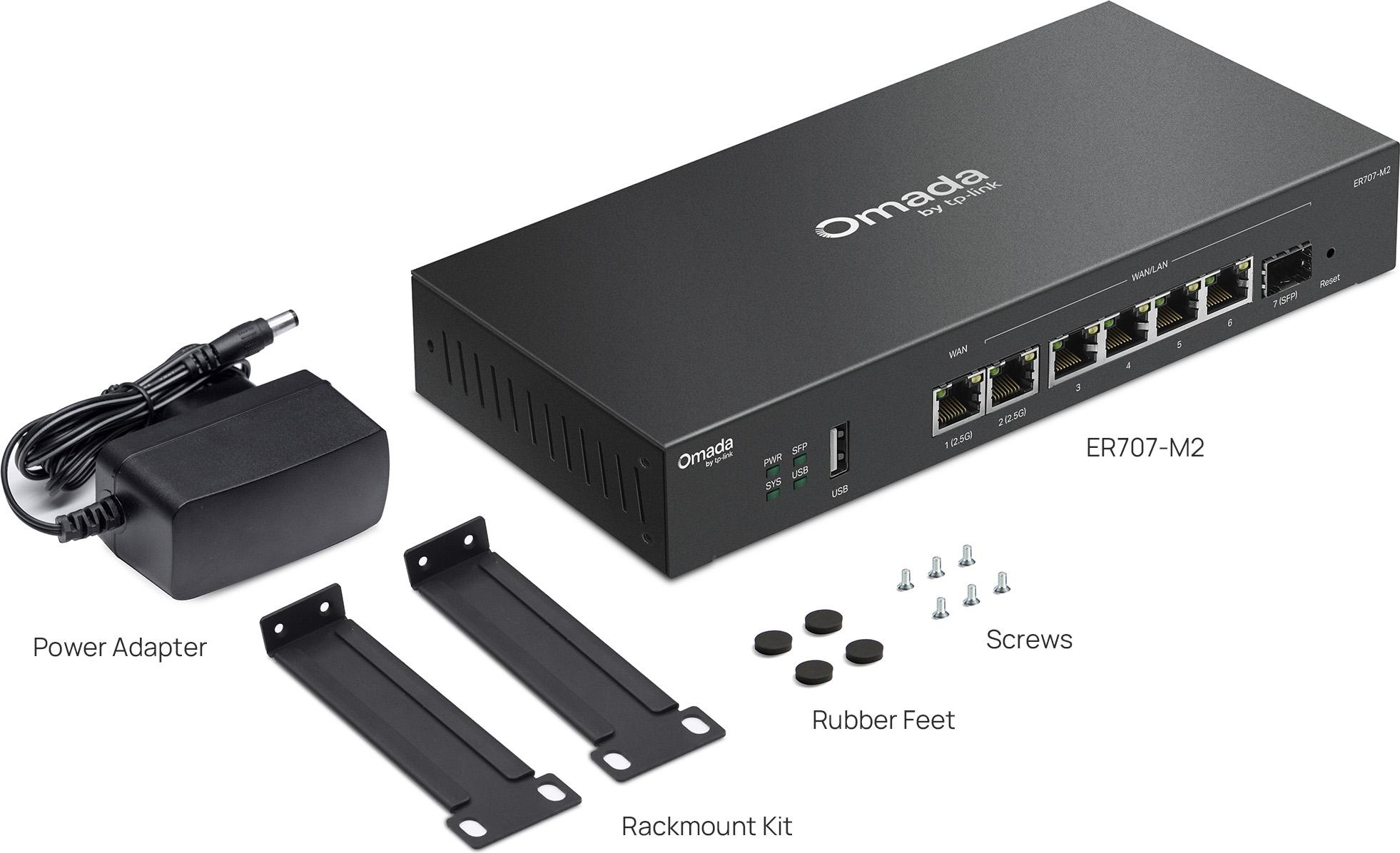
Inside: 1 GB DDR4 memory, 128 MB flash, and 4 kV surge protection on the ports — the kind of spec line that matters the day a storm crosses the site. Power draw is genuinely small: TP-Link rates it at 14.2 W with the USB port populated and 7.1 W without.dimensions are 226 × 131 × 35 mm, and it mounts on a desk, a wall, or — with the right shelf — tucked into the bottom of a rack.
Verified performance numbers
This is where the ER707-M2 earns its spot on my quote sheet. Straight from TP-Link’s published spec sheet:
| Metric | Throughput (TP-Link published) |
|---|---|
| Static IP NAT (up/down) | 2364 / 2343 Mbps |
| PPPoE NAT (up/down) | 2351 / 2126 Mbps |
| L2TP NAT (up/down) | 1249 / 831 Mbps |
| PPTP NAT (up/down) | 1169 / 1176 Mbps |
| IPSec VPN (ESP-SHA1-AES256) | 755 Mbps |
| GRE VPN (standalone mode only) | 355 Mbps |
| OpenVPN (encrypted) | 346 Mbps |
| SSL VPN | 143 Mbps |
| Concurrent sessions | 500,000 |
| New sessions/second | 4,200 |
Read that table like an installer, not a marketer: NAT passthrough is effectively wire-speed at 2.5G, so a straight broadband-fiber deployment gets everything it pays for. VPN throughput is where you scope honestly — if the site lives or dies on a big IPSec tunnel, you’re fine at 755 Mbps; if it’s an OpenVPN-centric shop pulling hundreds of meg through tunnels, you size up to the ER8411 tier instead.
Two ports in particular change how I design around this box. The SFP cage means fiber-handling sites can bring the WAN in as native fiber — ONT in a small-fiber run, or a direct SFP handoff from the provider — without an Ethernet media converter squatting on the patch panel. The USB 2.0 port is not cosmetic either: it mounts USB storage for logging and takes TP-Link’s LTE dongles for cellular backup, so a shop with fiber plus 4G gets true dual-carrier failover on hardware that draws seven watts idle.
Design notes for the install
Three things I do on every ER707-M2 job. First, budget the power brick — the supplied 12V/1.5A adapter is fine, but at 14.2 W peak with a populated USB bay, keep it on a clean UPS leg; an LTE backup modem that power-cycles with the gateway defeats the whole point of failover. Second, name your WAN circuits in the controller before you cable them; six possible WANs on a box this physically small will confuse the next tech unless the labels and the controller agree. Third, if the site will run IDS/IPS, enable it on day one and baseline the alerts for a week before tightening rules — signature feeds update regularly, and reacting on day one generates false positives against normal business traffic like backup software or videoconferencing bursts.
On the throughput side, remember the numbers in the table assume their named conditions. PPPoE costs a little versus DHCP NAT, and L2TP costs asymmetrically more on download than upload — if the client’s workload is cloud-backup-heavy on L2TP, that 831 Mbps download figure is the one to quote the client, not the wire-rate headline.
VPN and security feature set
The protocol list is unusually complete for this price: SSL VPN (60 tunnels), IPSec (100 tunnels, IKEv1/v2, AES-256, NAT-T, DPD, PFS), L2TP and PPTP servers sharing 60 tunnels with 12 client connections each, OpenVPN with 66 tunnels and 6 client connections, and GRE (standalone mode only). One-click auto IPSec between Omada gateways makes site-to-site genuinely quick to stand up.
On the defense side there’s an integrated IDS/IPS engine with a signature database TP-Link says carries over 4,000 regularly updated rules, always-on DoS/DDoS protection (TCP/UDP/ICMP flooding, Ping of Death and friends), application-level DPI with intelligent traffic control, and category- and time-based content filtering. For a small business gateway, having IDS/IPS actually on the box rather than as a subscription upsell is a real differentiator.
Omada management: why I actually deploy this box
The gateway is part of TP-Link’s Omada SDN platform — APs, switches, and gateways all under one controller, whether that’s the free software controller, a hardware OC200/OC300, or the cloud-based Omada Central. Multi-user privilege levels, an event/notification dashboard, topology view, captive portal config, and zero-touch provisioning (ZTP works when you’re on the cloud-based controller) are all there.
One installer note from the field: adopt cleanly. Community reports describe gateways reverting IPs mid-adoption when they’re pre-configured with static addressing that clashes with the controller’s native subnet. My practice is factory reset, adopt first, then apply IP schemes through the controller — it saves a truck roll.
Where it fits — and where it doesn’t
Pros
- Real 2.5G NAT throughput — no tax on multi-gig circuits
- Six-WAN load balancing plus USB LTE failover in a desktop-size box
- The full VPN protocol kitchen sink: WireGuard, IPSec, OpenVPN, SSL, L2TP/PPTP, GRE in standalone
- IDS/IPS with a regularly updated signature set included, no license line item
- Very low power draw and silent solid-state operation for office shelving
- ZTP and one-click auto IPSec when committed to Omada
Cons
- GRE and certain features are standalone-mode-only — feature parity shifts depending on how you manage it
- OpenVPN-encrypted throughput (~346 Mbps) trails IPSec by a wide margin; tunnel type matters at this tier
- Not a datacenter gateway — 500k sessions is generous for SMB, modest for enterprise aggregation
Real use cases: a retail or hospitality site with fiber plus a cable backup where you want automatic failover without rental failover hardware; a professional office running WireGuard or IPSec to a head office; a light-industrial unit where 4 kV surge protection is a selling point to the client; and any shop standardising on Omada that needs a gateway that matches their 2.5G switches.
Bottom line
The ER707-M2 is the value pick in Omada’s gateway range for exactly one job done very well: pushing a multi-gig circuit through NAT at full rate while running the security features the enterprise boxes charge extra for. Spec it up if your VPN tunnels need more than OpenVPN throughput or if you want rack-tier session counts. For everything else — load-balanced broadband, solid site-to-site IPSec, IDS/IPS, cloud management — it quietly does the work of a much more expensive box.
Specifying a gateway for a live job and want a hand sizing it? Get in touch.
Specifications and product imagery sourced from TP-Link’s official ER707-M2 product page and published datasheet (tp-link.com). All specs as published by TP-Link.
