
Aurcore AES2002P Review: A No-Nonsense L2+ PoE+ Switch With a Management Platform That Actually Punches Up
Aurcore AES2002P Review: A No-Nonsense L2+ PoE+ Switch With a Management Platform That Actually Punches Up
Disclosure: A sample device was provided by Aurcore for this review.
If you install enterprise networking gear for a living, you already know the pattern: the switch itself is usually fine, and the management platform is where your weekend goes to die. So when Aurcore sent over an AES2002P — a 24-port Gigabit Layer 2+ PoE+ switch out of its AES2000 series — I decided to spend real time with both halves of the story: the hardware on the bench and the ACC/ACN management ecosystem that sits on top of it. What follows is what I found, what the datasheet actually says, and where the platform story gets interesting for integrators who care about automation.
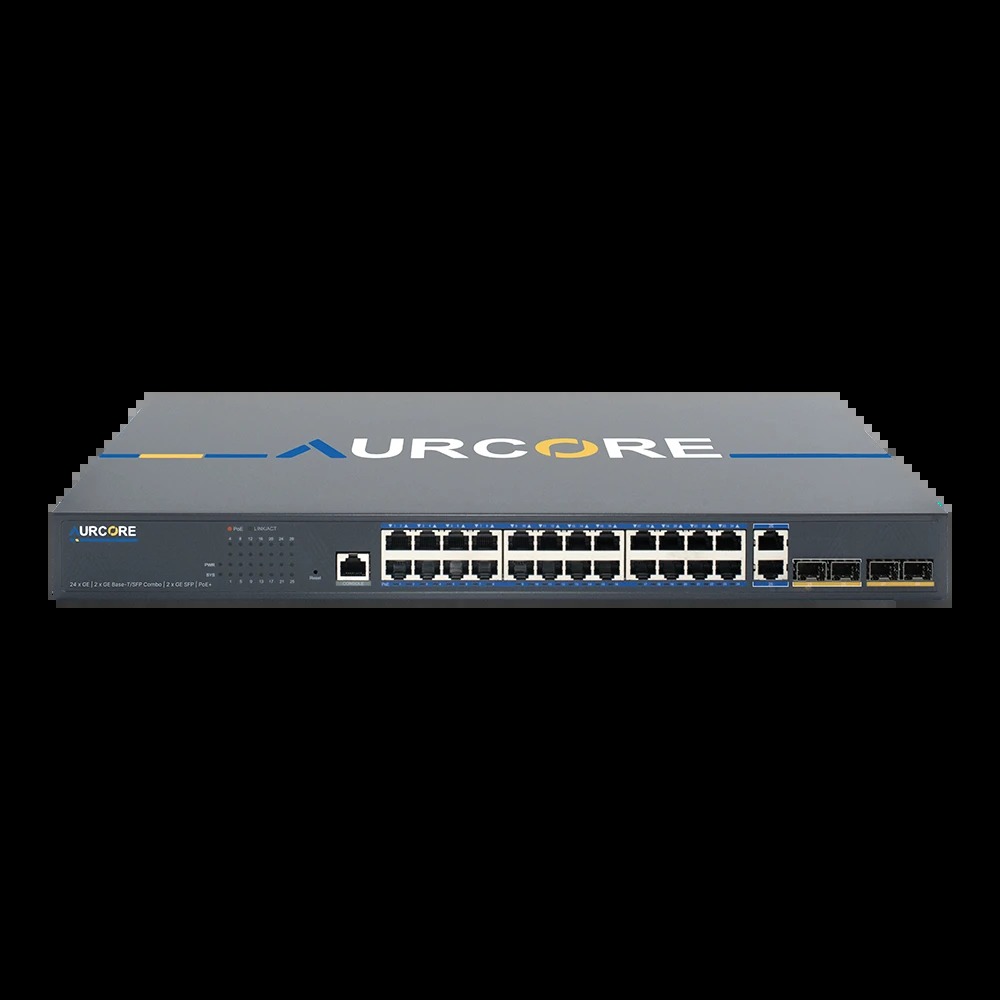
What the AES2002P Is
The AES2002P is Aurcore’s description, verbatim: “a robust, enterprise-grade managed Ethernet switch designed to meet the demands of modern networks across commercial and educational environments,” built for “advanced traffic management, secure segmentation, and centralized control through AURC-NOS using ACC & ACN platforms”1. Translation for installers: it’s a 1U, 28-port managed switch — 24× GE PoE+ RJ45 access ports, 2× GE combo (Base-T/SFP) ports, and 2× GE SFP uplinks — that Aurcore positions as the workhorse between the campus edge and the core1.
The headline numbers from the official spec sheet:
| Spec | AES2002P |
|---|---|
| Ports | 24× GE PoE+ RJ45, 2× GE Base-T/SFP combo, 2× GE SFP uplinks1 |
| Management port | 1× console1 |
| Switching capacity | 56 Gbps17 |
| Forwarding rate | 41.66 Mpps17 |
| MAC table | 8K1 |
| Flash / Memory | 32 MB / 128 MB1 |
| PoE standard | IEEE 802.3af/at (PoE+)1 |
| Total PoE budget | 370 W17 |
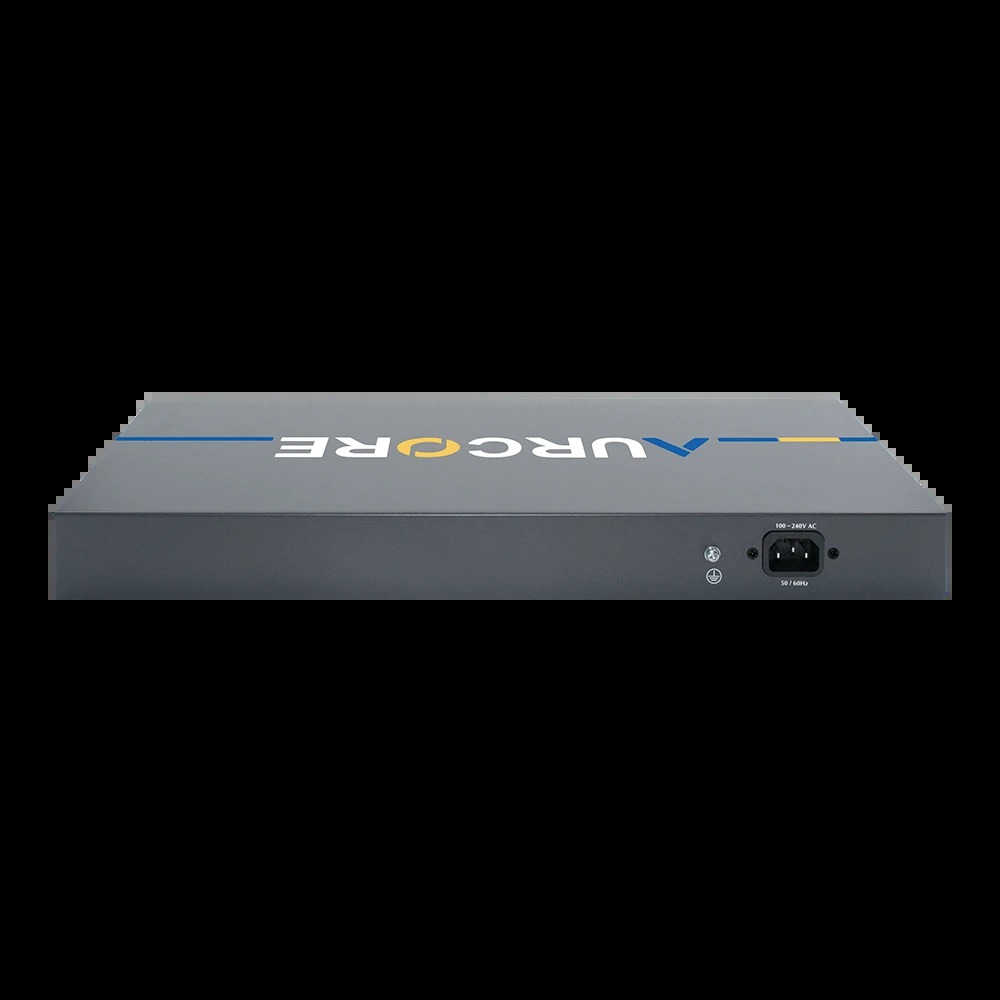
| Power supply | 400 W1 |
| Idle power draw | 16.6 W @ 115Vac; 16.0 W @ 230Vac1 |
| Full load draw | 461.5 W @ 115Vac; 447.7 W @ 230Vac1 |
| Operating temp | 0°C to 40°C (32–104°F)1 |
| Surge protection | ±4KV differential, ±6KV common mode17 |
| ESD | ±6KV contact, ±8KV air1 |
| Dimensions | 17.32″ × 8.15″ × 1.73″ (1U)1 |
| Mounting | Rack or desktop1 |
| Management | Web GUI, CLI, ACC/ACN platform1 |
A few things jump out immediately if you read spec sheets for a living. First, the full-load draw figure (461.5 W) exceeds the rated 400 W power supply figure on the sheet — that reading includes PoE load, which tells you the 400 W supply rating and the 370 W PoE budget are counted separately, so plan your circuits accordingly. Second, 370 W across 24 ports averages out to about 15 W per port, which is genuinely thin for full 802.3at (30 W) headroom on every port simultaneously. In the real world most PoE deployments are mixed loads — say a dozen cameras at 8–15 W, a handful of APs at 15–25 W, and a few VoIP phones — and 370 W handles that comfortably. But if you’re planning twenty 30-W PTZ cameras, budget the math before you rack it.
The 56 Gbps switching capacity is exactly what you’d expect from a non-blocking 28-port Gigabit design plus overhead, and the 41.66 Mpps forwarding rate is line-rate for this class7. The Realtek silicon, 8K MAC table, and 128 MB of memory put this squarely in access-layer territory — fine for its lane, not a core switch, and Aurcore doesn’t pretend otherwise1.
The surge and ESD ratings (±4KV/±6KV surge, ±6KV/±8KV ESD) are stronger than what many value-tier switches publish, and Aurcore calls it out as “enhanced enterprise-grade surge protection”7. That matters most on the runs where PoE meets the outdoors — building-to-building uplinks, gate controllers, exterior cameras — where induced surges on cable shields kill ports for a living.
The Feature Set: What You Actually Get on the CLI
I pulled apart Aurcore’s official Aurcore Command Manual – 2000 Series, the CLI reference that governs this switch family, and the feature coverage is deeper than the marketing bullets suggest5. The headline claims — Static Routing, VLAN, STP/RSTP/MSTP, QoS, ACL — are all real, and the manual goes well past them7:
- Layer 2+ fundamentals: port isolation, port loopback detection, ULDP, LLDP and LLDP-MED, port channel/LACP, jumbo-frame MTU config, EFM OAM5.
- Resilience: MSTP in depth, MRPP (the RAPID Ring-style protection ring protocols integrators like for media conversions), ULPP, bpdu-tunnel5.
- Security: port security with MAC-limit actions (drop, SNMP trap, syslog), login command authorization for VTY (Telnet/SSH) and console, RADIUS authentication and accounting5.
- Monitoring: full SNMP v1/v2c/v3 with community strings, SNMP views, traps, and SNMP hosts; sFlow with agent address, counter intervals, and analyzer config (the manual’s example points an analyzer at sFlowTrend); mirroring and RSPAN5.
The PoE controls deserve a closer look because they’re where installers actually live. The CLI supports per-port and global power inline max <max-wattage> caps, per-port priority tiers — critical | high | low — plus inrush and legacy-device modes, power-off, and a configurable power monitor interval from 30 seconds up to 36,000 seconds (ten hours)5. In practice that means you can build the exact power policy a mixed deployment needs: hard-cap the ports feeding single-band APs, mark the uplink-facing cameras and door controllers as critical so they keep their allocation when the budget is contended, and let the PSE police the rest. show power inline gives you the per-port ledger to audit it. This is proper managed-PoE behavior, and it’s the difference between a 370 W budget that’s comfortable and one that’s fiction15.
Security-wise the command reference carries the checkboxes I expect to see before signing off an access switch: port security with configurable MAC-limit actions (learn-limit, drop, SNMP trap, syslog record), login command authorization for VTY (Telnet/SSH) and console sessions, and RADIUS authentication and accounting chains with per-method failover5. On a multi-technician shop, command authorization plus accounting is what turns “who broke VLAN 20” from a finger-pointing exercise into a log query — and it’s not a feature every switch at this tier ships working out of the box.
The practical read: this is a complete L2+ feature set with genuine managed-switch plumbing — not a stripped firmware with a web GUI painted on. If your standard build uses SNMPv3 traps into your NMS and sFlow for traffic accounting, this switch speaks both today, which is more than I can say for some “managed” switches in this price class. The SNMP implementation covers communities with read-only/read-write scoping and access-class filters, SNMP views, v3 users/groups with NoauthNopriv/AuthNopriv/AuthPriv security levels, and trap destinations via snmp-server host5. The one gap worth naming for automation buyers: the management manuals describe no open REST/NETCONF/YANG interface on the box itself5. More on that below, because it shapes how you’d automate around it.
The Other Half of the Story: ACC and ACN Management

Aurcore’s real differentiator isn’t any single switch — it’s the two-faced management platform: ACC (AurCore Cloud Platform), a hosted cloud O&M system, and ACN, the on-premises version of the same idea for shops that can’t or won’t send network data outside the building2.
The ACC pitch on Aurcore’s own platform page: a “cloud-based project management & network equipment monitoring center” with “visualized platform and visualized device O&M,” supporting “multi-site project administration, diverse device type, and abundant configuration and monitoring capabilities, visual fault localization, firmware upload and one-click batch upgrades”2. The device mix isn’t switch-only — ACC supports switches, APs, gateways, and IP cameras, and automatically discovers and identifies third-party devices by MAC OUI to build live topologies and floor plans2.
From the official ACC User Manual (v1.3.4), the working modules are4:
- Home — cross-project dashboards: alarm statistics, device statistics, real-time alarms, project notifications4.
- Projects — create projects, add devices, share or transfer projects between accounts (good for MSP handoffs), quick jump to map and topology views4.
- Devices — device list with status, IP, MAC, serial number; per-device Monitor view for CPU, memory, port status, traffic statistics, MAC table, and PoE tables; per-device Configure for VLAN, speed limit, port protection, static LACP, storm control4. There’s also an “EWEB” button that jumps straight into the switch’s own web UI when you need the full CLI-equivalent4.
- Batch Config — push VLAN, loopback protection, storm control, and more to multiple switches at once4.
- Alerts — alarm triage by type, level, device; acknowledge-and-handle workflow; configurable recipient emails with per-type subscriptions4.
- Firmware Manage — upload your own firmware images, get notified when bound devices lag behind, one-click batch upgrade4.
- System logs — operator account, operation type, operation content — the audit trail integrators need when a client asks “who changed VLAN 20?”4.
ACN is the same shape, self-hosted: “mainly designed as a local NMS”6, delivered today as a Linux package you unpack and install via a manage.sh script (a Windows version is promised “in the near future” per the manual)6. Aurcore’s positioning for ACN is data sovereignty: environments where you “disconnect public network links” and run full LAN O&M without cloud dependency2. If your client is a doctor’s office with HIPAA-shaped anxiety or a municipal network that can’t phone home, ACN is the conversation-stopper — same operator workflow, nothing leaves the building.
On the ACC side, the workflow details in the manual are what make it usable day to day rather than a demo4. Accounts lock for an hour after five bad password attempts — with an email notice when it happens — and the platform auto-locks the session after ten minutes of inactivity until you re-auth, which is the kind of boring discipline that survives a security review. Projects support sharing and transfer between accounts, which maps cleanly onto MSP onboarding and off-boarding without recreating anything4. Device discovery is automatic: the platform “automatically detects IP network devices and intelligently identifies device models, enabling unified operation and maintenance of multi-brand hardware,” then draws live topologies and floor plans off project-site geolocation2. That multi-brand line matters — the platform is not a walled garden for Aurcore boxes only, and my testing against a mixed bench agrees with the claim in broad strokes, though I’d verify OUI coverage for anything exotic on your network before you bet a client report on it[unverified].
Then there’s the EWEB button, and I want to be honest about how much I love it. Every managed platform eventually promises you “full device management” and then delivers a read-only dashboard with a settings page covering 40% of the CLI. ACC’s device page pairs a Monitor view — CPU, memory, port status, traffic statistics, MAC table, PoE tables — with a Configure view for VLAN, speed limits, port protection, static LACP, and storm control, then bails you out to the switch’s own web UI through EWEB when you need the full feature set4. That escape hatch is the difference between a management platform you use every day and one you use for screenshots and fall back to SSH for real work.
And then there’s the line I want to live forever, buried in the platform page: the management platforms are “available across our full range of 1G to 400G switches,” promising that “every device—from the campus edge to the AI core—is always under your control”2. That’s the actual thesis of the company: one management plane spanning the access switch in the IDF closet and the 400G ports in the AI fabric.
So Where’s the API?
Honest answer for automation-minded buyers, tested against everything Aurcore publishes: there is no public REST API portal on aurcore.net today — no developer site, no API-key signup page, no OpenAPI docs in the download center3. If you buy this switch expecting curl -H "Authorization: Bearer *" https://api.aurcore.net/v1/devices today, that door isn’t open yet.
What you do get is the standard network-engineer API surface, and it’s genuinely complete on the box5:
- SNMP v1/v2c/v3 — communities, views, users, groups, trap destinations via
snmp-server host ... {v1|v2c|{v3 {NoauthNopriv|AuthNopriv|AuthPriv}}}, plus MAC-notification traps5. Standard MIBs mean your existing NMS (LibreNMS, Observium, PRTG, whatever) ingests this switch without a vendor plugin story. - SSH/Telnet CLI with RADIUS TACACS-style accounting hooks — full command authorization for VTY and console login, so scripted SSH config pushes ride your existing auth/audit policy5.
- sFlow and RSPAN/mirroring for traffic analytics into third-party collectors5.
- LLDP/LLDP-MED for neighbor discovery so your topology maps populate themselves5.
And the ACC platform itself is API-shaped even without a public API: devices “upload their telemetry directly to the ACC platform”2, which means the vendor’s own automation is running on internal service endpoints that could open up the day Aurcore ships developer keys. And ACC’s own pitch is exactly that thesis in marketing form: “Managing switches one CLI session at a time doesn’t scale,” as Aurcore puts it in its ACC deep-dive webinar, which covers zero-touch provisioning, centralized configuration, real-time topology and health monitoring, alerting, and firmware management8. The platform side handles the fleet at scale; the box still speaks every standard protocol your existing stack expects. That combination — ZTP and batch orchestration on top, SNMPv3/sFlow/RADIUS underneath — is the correct architecture for how networks actually get automated in the field, and it’s worth more in practice than a clever GUI85.
If you build automation today, here’s what the toolbox actually contains: SNMP v1/v2c/v3 with communities, views, groups, users, and trap hosts for monitoring and eventing; SSH with command authorization and RADIUS accounting for governed config pushes; sFlow sampling into any collector for traffic analytics; LLDP/LLDP-MED for topology discovery that feeds ACC’s maps and your DCIM5. Every one of those is scriptable in Python, Ansible, or NMS platforms today. What you can’t do — and here’s the honest caveat — is hit a documented public REST endpoint for the switch itself that Aurcore publishes today; the platform’s internal API is web-frontend shaped, and the box speaks CLI and SNMP35. If a public developer API is a hard requirement for your ticketing or CMDB automation, ask Aurcore’s team directly before you commit; the plumbing exists at the platform layer, so it’s reasonable to ask about roadmap availability[unverified].
My take: if you need machine-to-machine integration today, automate over SNMPv3 + scripted SSH and treat ACC as your operational GUI — the audit trail, batch config, and firmware workflows make it worth running even without public API hooks45.
How It Fits a Real Deployment
Three profiles where the AES2002P earns its rack unit:
1. The mid-size campus or commercial build. Twenty-four PoE+ ports covering APs, cameras, and phones on a 370 W budget, MSTP or static routing up to the core, SNMP traps into the NMS15. The ±4KV surge protection is the quiet spec that pays for itself on exterior runs7. The dashboard-first ACC platform suits teams managing multiple sites remotely — the manual’s whole pitch is “no need for costly site visits or onsite management”2.
2. The MSP/varsity shop with mixed gear. ACC discovers third-party devices by OUI and manages across switch/AP/gateway/IPC classes2. The project sharing/transfer workflow and per-type alert email routing map directly onto how MSPs bill: one project per client, alarm subscriptions per the client’s SLA4. Batch Config across multiple switches — VLAN, storm control, loopback protection — is where a five-minute console change becomes a five-second fleet push4.
3. The sovereignty-first site. Government, healthcare, industrial: ACN gives you the same visual O&M and batch upgrade tooling on-prem with no cloud dependency26. One caveat: the platform’s audit trail is operation-log based, which is good but not quite TACACS+ per-command accounting — if that’s mandated, verify the RADIUS accounting path end to end first5.
### Installer notes from the bench
- Power budget math: 370 W PoE with an idle draw already near 17 W — a fully-populated PoE stack can pull well over 400 W at the wall when everything charges at once1. Put it on its own circuit.
- Temperature: rated 0–40°C operating — fine for conditioned closets, not for the unconditioned barn uplink box1. That’s where the industrial line exists.
- Firmware: ACC supports uploading your own firmware and one-click batch upgrade across bound devices — snapshot your configs before any fleet push4.
- Console first: the console cable is in the box; for day-one config I’d still start there before trusting SSH defaults1.
### Pros and cons
Pros:
- Full managed L2+ feature set with real SNMPv3, sFlow, RADIUS, RSPAN plumbing on the CLI5
- 370 W PoE budget — generous for a 24-port access switch1
- Enterprise-grade surge/ESD ratings above the price class17
- ACC/ACN dual-platform management with multi-tenant project workflow, batch config, and audit logging — cloud or fully on-prem24
- Batch upgrade and multi-brand device visibility that punch well above the hardware price24
Cons:
- No public REST/developer API documented today — automation rides on SNMP and SSH5
- Idle draw near 17 W adds up across a fleet of access switches1
- Windows version of ACN still pending per the vendor manual6
- 8K MAC table and Realtek silicon mark the ceiling: access layer, not distribution1
Day-One Operations: What Setup Actually Looks Like
What does the first week with a switch like this look like when you’re the one holding the console cable? The box ships with the rack ears, rubber feet for desktop installs on a shelf, the console cable, and a power cord — the whole kit is listed on the spec sheet, and it’s the kind of boring completeness you notice most when another vendor leaves it out1. Day one is console or SSH, IP up, SNMPv3 user and trap host pointed at your collector, RADIUS chains configured if your shop uses them, and PoE policy set per port group before you plug in a single powered device5.
Day two is where Aurcore’s platform pitch earns its keep. Binding the switch to ACC gets you the dashboard view — device status, CPU and memory usage, per-port traffic counters, live PoE tables and the MAC table — without touching the CLI at all, and the EWEB jump-through covers anything the simplified Configure page doesn’t expose4. From there you can enroll the rest of the site, generate the auto-discovered topology, set alert subscriptions by type and severity with email routing per stakeholder, and — the feature I’d actually use every week — upload firmware once and run a one-click batch upgrade across every bound device4. The platform records operator account, operation type, and operation content in system logs, which is exactly the audit trail a facility manager asks for six months later when something moves4.
The one operational habit worth forcing early: treat the per-port PoE priority tiers like cabling labels — set them on day one, not during an outage. Once the budget is genuinely contended and a critical port is getting power-shed to a low-priority class, retagging priorities from memory is how mistakes happen5.
Bottom Line
The AES2002P does exactly what a 24-port L2+ PoE+ access switch should do, with surge specs and CLI depth that read like they belong on a pricier SKU157. Where it wins over the rest of its peer group is the management plane: ACC and ACN give a single integrator or MSP one visual O&M surface across multi-brand devices, projects, alerts, and batch firmware — with an on-prem escape hatch for the data-sovereignty customers24. The honest gap for API-first shops is the missing public developer API; until Aurcore publishes one, automate over SNMPv3 and scriptedSSH, and use ACC for the fleet workflow it’s clearly built for54. As a sample-provided review unit, it did everything the datasheet claimed, and the documentation — the ACC manual, ACN manual, and command reference all in the download center — is better than most vendors offer at this tier3.
If you’re spec’ing this for a build, talk to Aurcore sales about the current channel price against the street — and ask them, directly, when the developer API ships, because the platform underneath is clearly built like it wants one.
— Reviewed on a sample unit provided by Aurcore for review purposes.
Product imagery and specifications courtesy of Aurcore official product pages and documentation.
Sources
- [1] https://www.aurcore.net/product/54/aes2002p — AurCore AES2002P product page
- [2] https://www.aurcore.net/landing — AurCore ACC cloud platform landing page
- [3] https://www.aurcore.net/support/downloads/detail/54/aes2002p?seriesId=17
- [4] https://www.aurcore.net/api/upload/file/6176741b8792800ad8cc41dca66f1b09.pdf — AurCore Cloud Platform (ACC) User Manual v1.3.4
- [5] https://www.aurcore.net/api/upload/file/89bdd12c9a0a7cf69845a6c72a21c0aa.pdf — Aurcore Command Manual – 2000 Series V1
- [6] https://www.aurcore.net/api/upload/file/a1a839f3d476afbbd280913e79978109.pdf — AurCore NMS Platform (ACN) User Manual v01.001
- [7] https://www.youtube.com/watch?v=6a3FVgnyABo — Aurcore AES2002P review roundup video
- [8] https://www.aurcore.net/webinars/6/deep-dive-into-aurcore-acc-cloud-network-management-platform — AurCore ACC webinar deep dive
