
Grandstream GWN7302 Review: The PtP/PtMP Wireless Bridge That Pays for Itself in Trenching You Didn’t Have to Dig
Most installers treat a fixed wireless bridge as the thing you reach for when pulling fiber across a field costs more than the building you’re connecting to. The Grandstream GWN7302 is Grandstream’s answer for exactly that job — an enterprise point-to-point and point-to-multipoint bridge that skips the Wi-Fi-client circus and gives you a clean wireless data path with specs you can put in a proposal. I went through the official product page carefully, and here’s what an integrator actually needs to know.
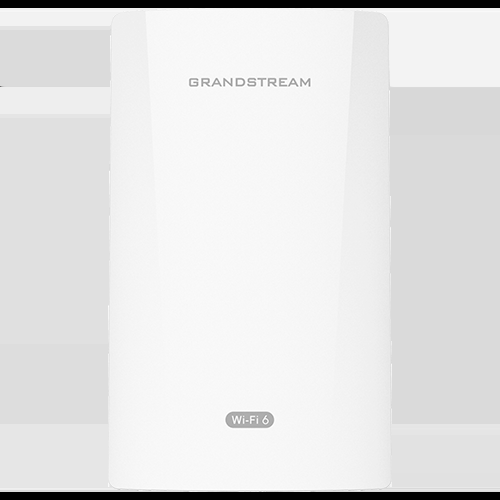
Verified specifications
| Form factor | Enterprise PtP/PtMP fixed wireless bridge, purpose-built for long-distance data links |
| Wireless throughput | Up to 2.4 Gbps aggregate |
| Radio design | Single-band, 2×2:2 MIMO with TDMA technology |
| Topologies | Point-to-Point and Point-to-Multipoint (one node talks to one or multiple remote nodes) |
| Range | Up to 5 kilometers coverage |
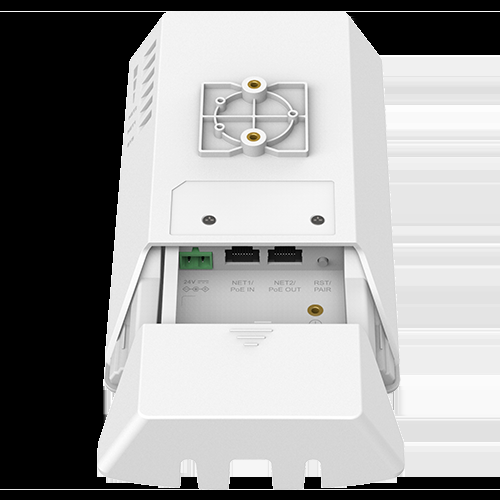
| Wired ports | 2x Gigabit Ethernet ports |
| PoE | Self-power adaptation on auto-detected PoE+ input, plus a PoE output port to power nearby devices such as cameras and speakers |
| Environmental rating | IP66 weatherproof; operating range from -30°C (-22°F) to 60°C (140°F) |
| QoS | Advanced QoS to protect real-time, low-latency applications over the air |
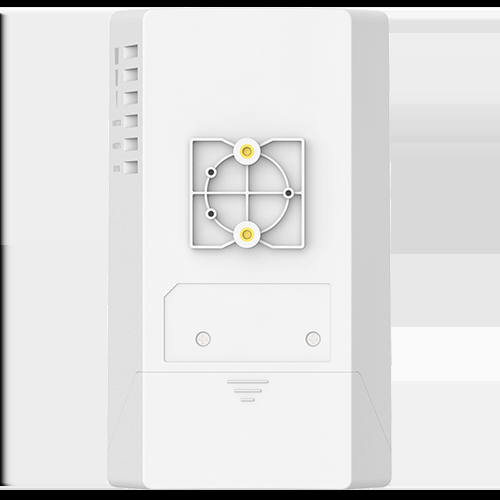
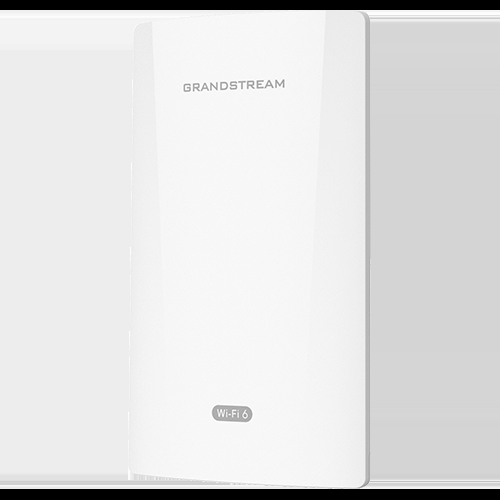
| Installation aids | One-key pairing button and status indicator lights |
| Management | Intelligent web management, GWN App, on-prem GWN Manager, and GDMS Networking with remote access via SSH tunneling (all free to use, controllerless design supported) |
What jumps out for installers
The first thing I noticed is the PoE output port. Most bridges only take PoE in. The GWN7302 takes PoE+ input with self-power adaptation — it figures out what the injector or switch is feeding it — and still has a spare PoE output. In the field that means the pole or eave where the bridge lives can also feed a camera or an IP speaker without running a second injector and another cable run. That is one less can of conduit and one fewer surge point on the quote.
Second: TDMA on a 2×2:2 single-band radio. TDMA matters in PtMP specifically. With Wi-Fi style contention multipoint degrades hard as clients talk over each other; TDMA hands the airtime to the AP one slot at a time, so latency and jitter stay predictable no matter how many subscribers you hang off it. That is exactly what the QoS bullet is about — the vendor calls out real-time, low-latency applications, which in practice means the link can carry a phone call or a camera stream to a control room, not just file backups.
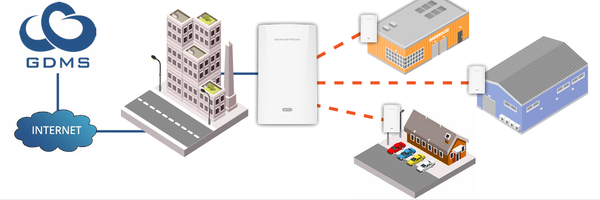
Third: full management stack, free. Web UI on the unit for the quick job, the GWN App for aligning links on the roof, GWN Manager on-prem if the customer wants everything local, and GDMS Networking with SSH tunneling for remote management when nobody wants to drive out there. If you’re already standardizing a customer’s Grandstream switches and APs on GDMS, the bridge lands in the same pane of glass with no extra licensing. No license fee line item is a real differentiator in bids against the bridges that charge for their NMS.
Where I’d actually put one
The Grandstream-all-in campus. Their own positioning is exactly this pair: GWN7302 bridges the gap between buildings, and Grandstream switches, APs, and phones live behind each end. One management platform, one support phone number, one vendor to point at when something is down. Procurement likes it, and you like it because troubleshooting is all in one UI.
Logistics yards. Grandstream explicitly targets harbors, supply chain junctions, and railyards — big outdoor footprints with dispersed buildings. IP66 and the -30°C to 60°C operating range mean you’re not babysitting the link through a winter, and TDMA keeps camera and scanning traffic accountable when the yard’s running real operations on it.
Farms and dispersed sites. Five kilometers covers most farmsteads and ranch outbuildings where trenching or boring for fiber is a five-figure line item. A pair of bridges and a pair of PoE injectors solves it in an afternoon.
Temporary links. Outdoor events and construction sites where the link is only needed for weeks — the one-key pairing button and status LEDs matter more on a temporary install than almost anywhere else, because you want to align, verify, and leave.
Pros and cons
Pros:
- Genuine throughput for a sub-enterprise-tier bridge — up to 2.4 Gbps aggregate with TDMA for predictable multipoint latency.
- PoE output port powers nearby cameras or speakers from the bridge itself — real install savings.
- IP66 with a brutal temperature range, designed for permanent outdoor exposure.
- Free management in every flavor: web UI, GWN App, GWN Manager on-prem, GDMS cloud with SSH tunneling.
- Free ecosystem play — lands in the same management stack as the GWN switches and APs most integrators already price.
Cons:
- Single-band radio means the whole link rides one frequency plan; at 5 km you need clean Fresnel clearance and a real line of sight, and that survey is on you.
- Two Gigabit Ethernet ports per end is the hard wire-speed ceiling for any single client flow — fine for most sites, a cap for a data-center-ish trunk.
- If the customer’s environment is all Ubiquiti airMAX or Cambrium, mixing vendors on a point-to-point air interface means one vendor per link — budget the bridge pair on both ends and don’t mix.
- Grandstream support is ticket/email-first by default; the local hands-on RMA culture varies by distributor.
Installer notes before you climb the tower
A few habits that separate a bridge link that survives its first ice storm from one that comes back in February. First, the 5 km figure is Grandstream’s ceiling under clear line of sight — treat it as the budget, not the plan. Fresnel zone clearance matters more than raw sightline at distance; if the ground or tree line clips the ellipse in the middle of the path, throughput drops long before the link drops. Second, TDMA is what protects your latency in point-to-multipoint, but TDMA slot timing is distance-based — every subscriber added to the AP end re-times the airtime, so keep the longest and shortest legs documented in the commissioning sheet. Third, since the unit self-adapts to PoE+ input, make sure the injector or switch port actually negotiates PoE+; a plain PoE port feeding a PoE+ draw is the classic ghost-flicker-at-cold-mornings fault. Fourth, GDMS’s remote access rides an SSH tunnel from the unit — confirm the site’s firewall allows the outbound connection at commissioning, not three weeks later when you need it. And fifth, photograph the alignment with the status LEDs visible before you lower the mast. It costs nothing and settles every later argument about whether the link moved.
Bottom line
The GWN7302 is not trying to be a Wi-Fi access point pretending to be a bridge — it’s a dedicated PtP/PtMP platform with TDMA, a 5 km envelope, weatherproofing you can rely on, and the rare PoE passthrough output that pays for itself the first time it feeds a pole-mounted camera. For a Grandstream-standardized campus, a yard, or a farm where fiber is a construction project, it earns its spot on the BOM. Pair both ends with the same brand, survey your clearance, and put the PoE budget in writing. If you want help speccing a bridge link for a site, get in touch.
Specifications and product imagery in this post were sourced from Grandstream’s official GWN7302 product page at grandstream.com; product photos courtesy of Grandstream.