
TP-Link ER7206 Review: The Gigabit Omada Gateway Where Four WANs and 100 IPsec Tunnels Get Cheap
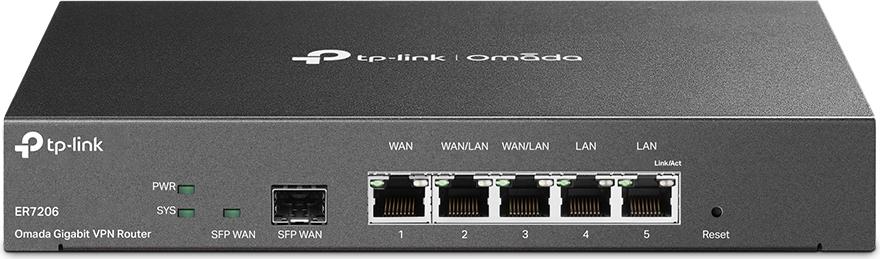
Most of the gateways I quote sit at one of two extremes: a prosumer box that falls over the day you need a second WAN and a real VPN tunnel count, or an enterprise edge device that costs more than the year’s support contract on the rest of the network. The TP-Link ER7206 sits in the gap between them, and after a run of small multi-site installs, it’s the Omada gateway I reach for most often when the site is gigabit or below. It’s the older, honest gigabit sibling in a lineup that’s been racing up to multi-gig — and for a lot of real-world jobs, “gigabit is plenty” is still the correct bill of materials.
This is the V2 hardware of TP-Link’s Omada Gigabit VPN Router, and the spec sheet reads like a checklist of exactly what small-business integrators ask for: multi-WAN with failover, a serious tunnel count, WireGuard on top of the traditional IPsec/L2TP/PPTP mix, and full Omada SDN integration so the whole site gets managed from one pane of glass — without a license fee per feature.
Verified specs (from the official TP-Link datasheet)
| Processor / memory | Dual-core ARM Cortex-A53, 512 MB DDR4, 128 MB NAND flash |
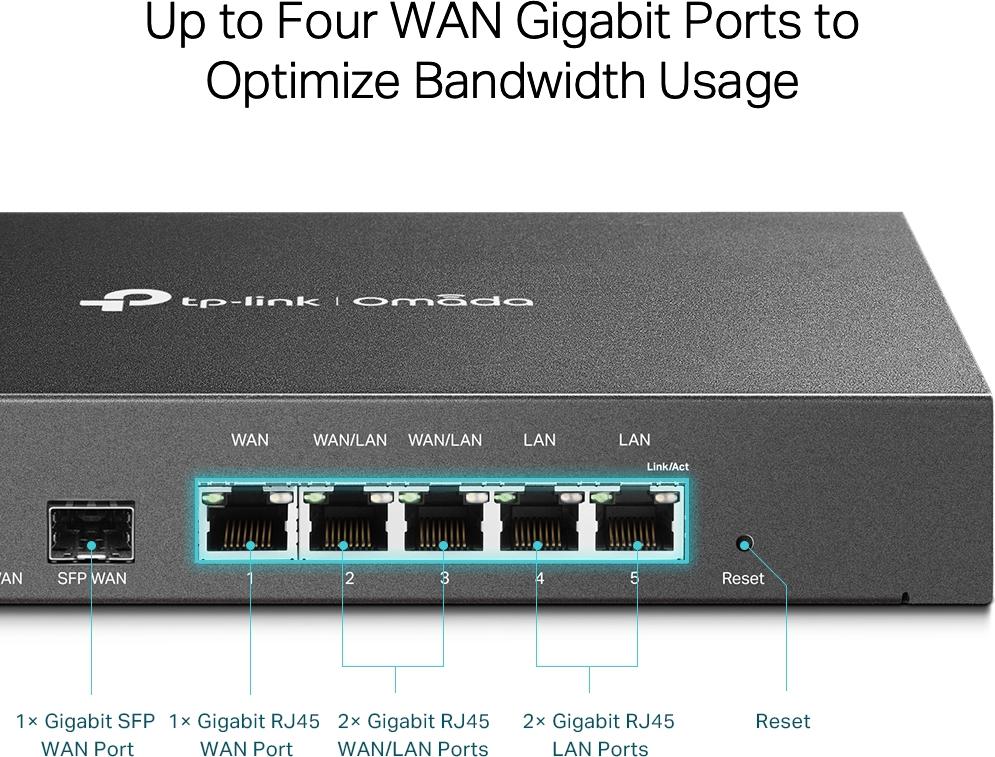
| Ports | 1x Gigabit SFP WAN/LAN, 1x Gigabit RJ45 WAN, 4x Gigabit RJ45 WAN/LAN, 1x USB 3.0 (LTE dongle and USB storage) |
| Session capacity | 150,000 concurrent sessions, 5,300 new sessions/second |
| NAT throughput | ~945 Mbps up / ~941 Mbps down (static IP); ~944/941 PPPoE; ~940/941 DHCP |
| VPN tunnels | Up to 100x LAN-to-LAN IPsec (IKEv1/v2), 50x OpenVPN, 50x L2TP, 50x PPTP, plus WireGuard and GRE |
| Routing | Static, policy routing, RIP v2 and OSPF (standalone mode), IGMP v2/v3 proxy |
| Multi-WAN | Up to 4 WANs with load balance by bandwidth proportion, link backup (timing/failover), online detection |
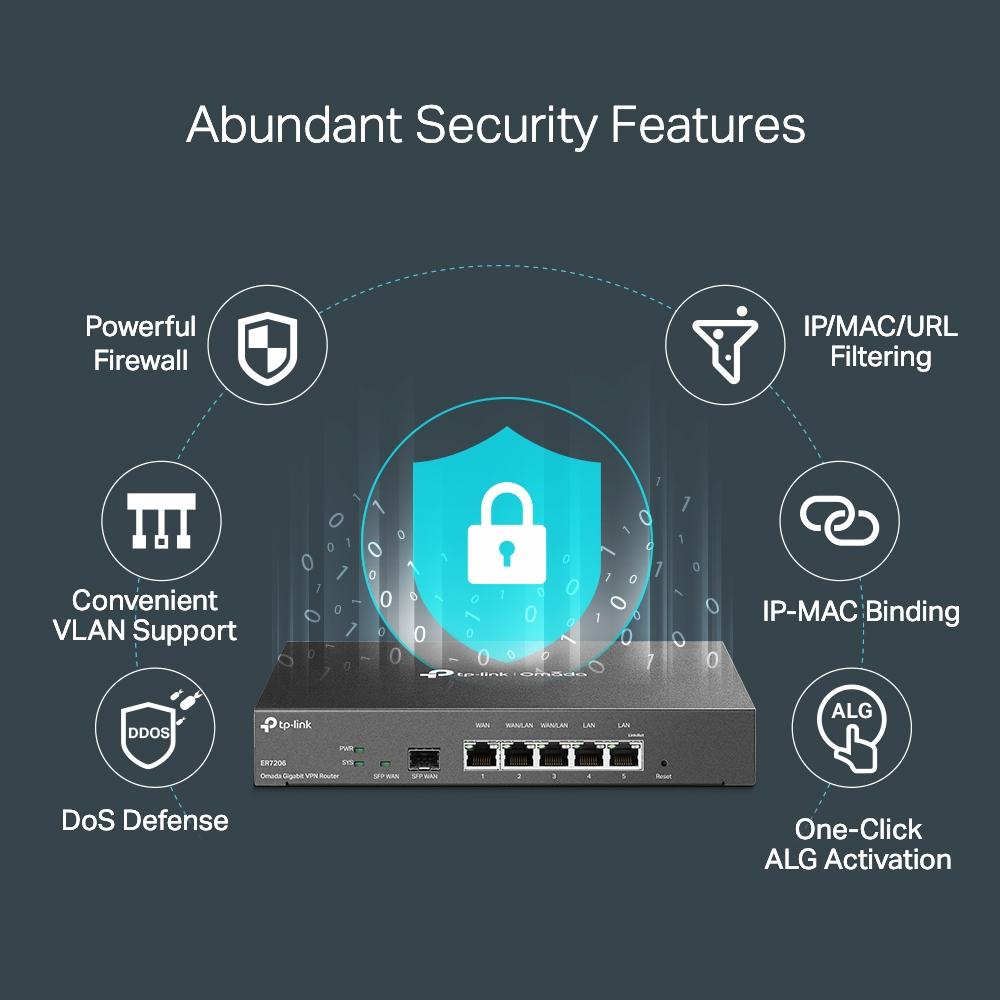
| Security | Stateful ACL, application-optimized routing, DoS defense (TCP/UDP/ICMP flood, ping of death), IP/MAC/URL filtering, IP-MAC binding, DNS proxy with DNSSEC/DoH/DoT, captive portal (local users, voucher, SMS, RADIUS) |
| Management | Omada SDN (zero-touch provisioning with the cloud controller, multi-user roles, topology view), standalone web UI, CLI (standalone), SNMP v1/v2c/v3, Syslog |
| Power / build | 12V DC / 1A adapter, 4.5 W typical (7.5 W with USB 3.0 loaded), 4 kV lightning/surge protection on the ports |
| Size / mounting | 226 x 131 x 35 mm, desktop or wall-mount |
What it actually does well on a job
Multi-WAN that just works. The port layout is the killer feature at this price: one gigabit SFP WAN, one gigabit RJ45 WAN, and two more RJ45s you can flip to WAN if the site needs three or four exits. Load balancing distributes by bandwidth proportion per line, and online detection handles failover with timing rules. On a shop with cable primary and LTE backup, that’s the whole job — and here the USB 3.0 port even accepts an LTE dongle directly, so the backup circuit doesn’t need its own gateway box.
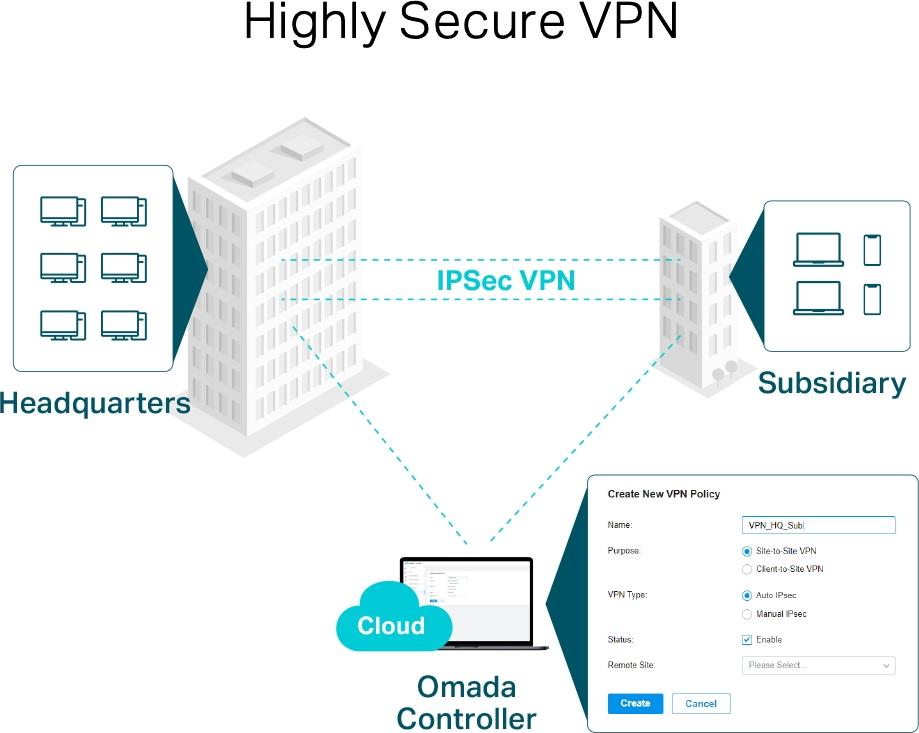
The tunnel count is real. 100 LAN-to-LAN IPsec tunnels with IKEv1/v2, PFS, NAT-T and dead-peer detection, plus 50 each of OpenVPN, L2TP and PPTP, and WireGuard support the platform added. If you’re a managed-service provider stitching ten small branches into a hub, one ER7206 at the hub swallows every tunnel with capacity to spare. Just plan around OpenVPN’s throughput ceiling (roughly 130-140 Mbps in TP-Link’s own test conditions) — for anything sustained and heavy, run IPsec or WireGuard.
Omada integration without a tax. Zero-touch provisioning (cloud-controller workflows), multi-user privilege roles, intelligent monitoring with abnormal-event warnings, and a live topology view. Standalone management through the web UI or the Omada app remains fully available as well, which matters on single-site jobs where spinning up a controller for one gateway is overkill. Note the fine print like everyone in this space: some functions (RIP/OSPF, CLI, port triggering, LDAP, and parts of web authentication) are standalone-mode, while voucher/SMS authentication wants a controller. Read that list before you quote it as a feature.
Where it fits — and where it doesn’t
Use it when: the site is gigabit-class broadband (cable, fiber-to-the-business, LTE failover), you need genuine multi-WAN with failover, you’re building small multi-site IPsec meshes, you want guest captive portal with vouchers on the same box, or you’re standardizing mixed offices on Omada and want a gateway that participates in ZTP. The 4 kV surge protection is a nice installer detail — outdoor-ish installations and barn jobs eat cheap gateways, and this one gives the insurance company something to look at. The USB 3.0 port also earns its keep as offline config backup storage on remote sites where you’d otherwise drive out to roll back a bad change.
Skip it when: you need multi-gig. Every port on the box is 1G — if the handoff is 2.5G/10G, step up to the ER707-M2/ER7412-M2. It’s plastic-cased desktop gear, not rackmount. And it has no PoE anywhere, because it’s purely a gateway — that’s fine, but don’t let a customer spec expect a switch out of it. OpenVPN throughput tops out in the low hundreds of Mbps. And one SFP module isn’t included, so budget the TL-SM311LM/LS (or a BiDi pair) per install that uses the fiber WAN.
Pros and cons
Pros: up to four WAN inputs with real load balancing and failover; 100 IPsec tunnels plus WireGuard; strong NAT throughput at line rate gigabit; USB 3.0 LTE backup support; full Omada SDN with ZTP and no per-feature licensing; DNS security features (DNSSEC, DoH, DoT) that most boxes this size skip; 4 kV surge protection; wall-mount option for small comms cabinets.
Cons: all-gigabit ports — no multi-gig path forward; no PoE; OpenVPN throughput limited versus IPsec/WireGuard; some routing and auth features locked to standalone mode (the reverse of the controller lock-in you’re used to on other brands — know which mode you’re delivering before you promise a feature); SFP modules sold separately; desktop enclosure in a rack-glass world.
Bottom line
The ER7206 is the value pick in Omada’s gateway line for any site where gigabit is genuinely the ceiling. You’re buying a working multi-WAN router with an enterprise-grade tunnel table, WireGuard, and controller integration — not a rebadged consumer router with a VPN logo. For multi-site SMBs, MSPs consolidating small branches, and anyone who wants LTE failover without a second box, it earns its rack-space-equivalent on the shelf. When the day comes that the customer needs multi-gig, that’s the bigger box — but for most of the jobs I quote, it’s a very long way off.
Specifying a gateway for a multi-WAN or multi-site build? Get in touch and I’ll size it properly the first time.
Specifications and imagery from TP-Link’s official ER7206 product page and datasheet (V2 hardware). Vendor-supplied product photography.