
Synology DS425+ Review: The Compact 4-Bay NAS That Finally Got the Networking Right
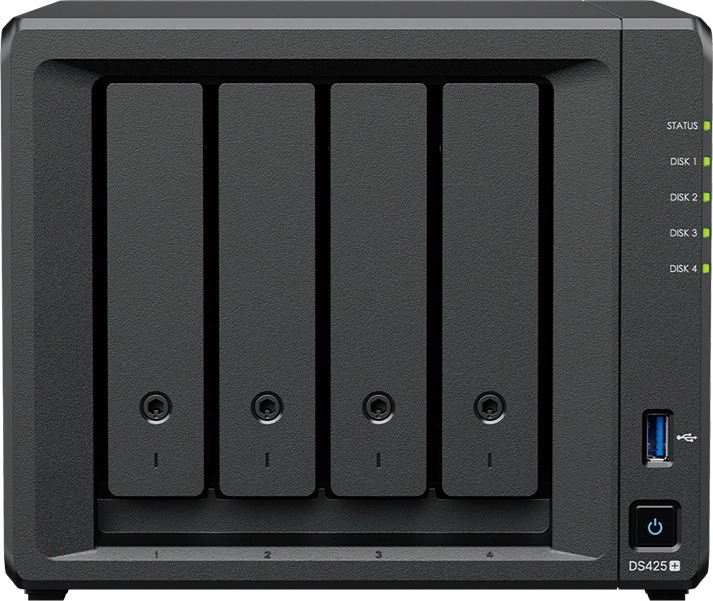
Most of my small-office and home-office installs land in the same gap: too much data for a two-bay box, but not enough of a budget or rack to justify a six- or eight-bay monster. The Synology DS425+ sits squarely in that gap, and after speccing a few of these into real deployments I think it’s the most pragmatic 4-bay DiskStation Synology has shipped in years. It’s compact, it’s got the two ports you actually want in 2026, and it runs the same DSM platform that makes the bigger boxes worth the money.
What the DS425+ actually is
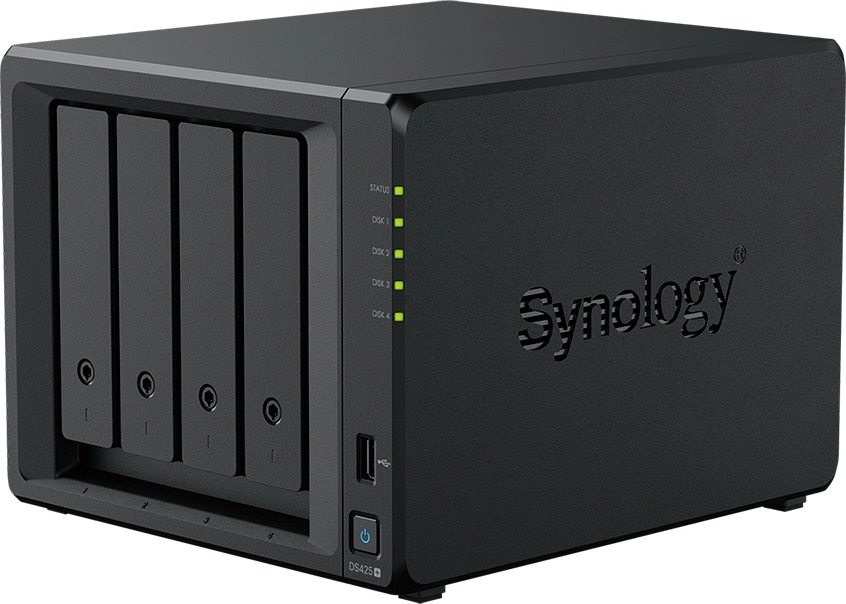
The DS425+ is a compact 4-bay Desktop NAS running DiskStation Manager (DSM). Synology rates it for up to 96 TB of raw storage across four bays, supports both 3.5″ SATA HDDs and 2.5″ SATA SSDs in the main bays, and adds two M.2 2280 NVMe slots dedicated to caching. That combination — big slow mass storage plus fast cache on the same box — is the whole pitch, and for a mixed workload shop it’s exactly the right shape.
Away from the marketing page, the hardware page fills in the details that matter at install time:
Verified specifications
| Item | DS425+ |
|---|---|
| CPU | Intel Celeron J4125, 4 cores / 4 threads, 64-bit, 2.0 GHz base / 2.7 GHz turbo, hardware encryption engine |
| Memory | 2 GB DDR4 non-ECC, 1 slot, expandable to 6 GB (2 GB + 4 GB, Synology D4NS01-4G) |
| Drive bays | 4 × 3.5″/2.5″ SATA (hot-swappable) + 2 × M.2 2280 NVMe (cache only, not hot-swappable) |
| Networking | 1 × 2.5GbE RJ-45 + 1 × 1GbE RJ-45 (1GbE port capped at MTU 1500) |
| USB | 2 × USB 3.2 Gen 1 |
| Performance (Synology lab) | Up to 278 MB/s read / 281 MB/s write |
| Cameras | Manage up to 40 IP cameras (with license; Surveillance Station bundle limits apply — check current DSM spec) |
| Fans | 2 × 92 mm, Full-Speed / Cool / Quiet modes |
| Noise | 21.6 dB(A) (Synology test method, idle with SSDs) |
| Power | 90 W external adapter; 28.25 W access / 6.10 W HDD hibernation |
| Size / weight | 166 × 199 × 223 mm, 2.18 kg |
| Warranty | 3 years, extendable to 5 (EW201/EW202 in Asia/Africa/Oceania; Extended Warranty Plus in EU/NA) |
| Box contents | Main unit, accessory pack, 90 W AC adapter + cord, 2 × RJ-45 cables |
The installer’s take: what got me to spec it
The 2.5GbE port is the headline for me. Synology lab numbers put the box at 278/281 MB/s sequential, which will saturate a 2.5GbE link almost exactly — meaning the network is finally matched to the drives instead of the other way around. If the office switch has a 2.5G port (or you’re hardwiring a workstation directly like I did on the last job), a mirror of two NVMe or SATA SSDs for cache and two large HDDs in RAID 1 gives you a volume that’s genuinely snappy for active project files while the bulk archive sits on spinning rust.
The dual-RJ-45 layout is a deliberate design too: the 2.5G port for the LAN, the 1GbE port as a management/failover interface. Note the MTU caveat — that gig port won’t do jumbo frames, so don’t build your storage network assuming link aggregation across both. One more install-time gotcha: the M.2 slots are cache-only on this platform. They will not join your storage pool, so budget your NVMe accordingly — and Synology only guarantees performance on its own compatibility list, so buy the D4NS01-4G module and SNV3400/SNV5400-class drives if you want a clean warranty.
Noise and power also make it deployable in places a rack NAS can’t go. At 21.6 dB(A) idle it’s quieter than most office HVAC, and it pulls under 7 W in hibernation. A closet shelf in the reception area, a media room, a shop office — it disappears acoustically. The 90 W external adapter is fine on a desk but I’d still strap it down behind the unit with a velcro tie; loose brick-on-a-cord is how dead NASes happen on site visits.
Use cases where it earns its keep
1. Creative shop, 3–6 seats. Dropbox-style sync through Synology Drive with versioning, project archives on HDDs, cache on M.2. The 40-camera Surveillance Station headroom means the same box can also take over the office camera system once licenses are added — one DSM box instead of two.
2. Small-office backup target. Hyper Backup on the DS425+ pulls from workstations and pushes replicas offsite; DSM’s snapshot/scheduled-replication pieces are included in the license model, and rolling back an accidental deletion or ransomware attempt is a checkbox, not a project.
3. Multi-site sync. DSM does automatic one- or two-way site-to-site folder sync. For a two-location practice that’s the cheapest sane way to keep everyone pointed at the same master files without paying per-seat cloud sync.
Setup notes from the field
A few things I do on every DS425+ install that save a callback visit. First, init the pool with Btrfs even if the customer only wants plain file shares — snapshots and Synology Drive versioning both lean on it, and you cannot convert later without rebuilding. Second, set the fan profile to Cool on day one, not Quiet: the box is on a shelf with a door closed, and a little fan noise behind a cabinet beats a thermal throttling ticket in August. Third, register the Synology account during initial setup and enable smart notification for drive health before the drives hit a year; S.M.A.R.T. testing on a schedule costs nothing and has saved more than one array on jobs I can name.
For cache I run a 10 GB read-write cache volume on each M.2 slot with two identical drives — matching NVMe sticks matters more than size at this tier. If you only have one spare M.2, skip caching entirely; it will not do much on single-drive. And finally, put the 2.5G port on your managed switch’s storage VLAN and leave the 1G port unaggregated for management, exactly as Synology intended — that keeps your jumbo-frame-capable traffic on the switch side where it behaves, and keeps support out of the argument.
Pros and cons
Pros: matched 2.5GbE networking and drive performance; dual NVMe cache slots; hot-swappable main bays; whisper-quiet and low idle power; full DSM software stack included in the price; extendable warranty. The J4125 has a hardware encryption engine, so encrypted volumes don’t tank throughput.
Cons: 2 GB base memory is stingy — the single-slot 6 GB ceiling means buy the 4 GB upgrade module day one if you run more than file services. M.2 slots are cache-only. Single adapter rather than redundant PSU. And the 1GbE port’s MTU limit rules out jumbo frames on a secondary link.
Bottom line
The DS425+ is the right size, the right ports, and the right price band for small studios and branch offices that outgrew cloud sync but aren’t ready for a rack. Buy the RAM upgrade and a pair of compatible NVMe cache drives up front, put it on a UPS with the adapter strapped down, and it will quietly be the most useful box in the office for five years. If that sounds like your next job, get in touch and I’ll spec the whole thing — drives, licenses, backup targets included.
Specifications and product imagery sourced from Synology’s official DS425+ product page (synology.com); performance figures are Synology lab results and actual throughput varies with configuration and workload.
