
TP-Link EAP773 Review: The Wi-Fi 7 Ceiling AP With a 10G Port That Earns Its Price
Wi-Fi 7 access points have quietly stopped being exotic. Two years ago a tri-band 802.11be AP meant a flagship price and a firmware disclaimer. Now they sit in the standard price book, and if you are an integrator spec-ing the wireless layer for an office refresh, a clinic, or a high-density retail floor, the TP-Link Omada EAP773 is one of the cheapest ways to put a 6 GHz radio and a 10G uplink on every ceiling grid square. I have been through the official spec sheet top to bottom, and here is what actually matters on a job.
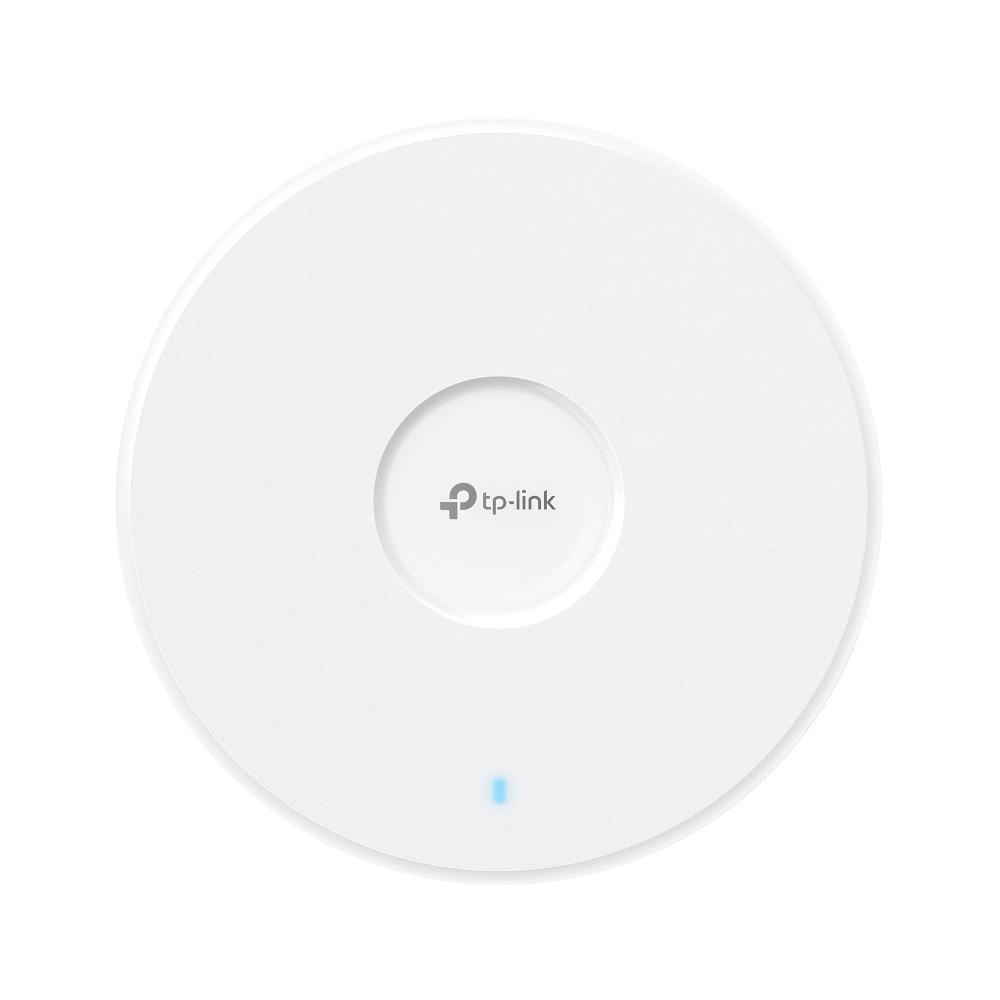
What the EAP773 is, in one paragraph
The EAP773 is TP-Link’s ceiling-mount flagship of its Omada Wi-Fi 7 line for SMB: a BE9300-class tri-band AP (6 GHz + 5 GHz + 2.4 GHz), a single 10G Ethernet uplink, PoE powered, and fully managed by the Omada SDN controller like every other EAP in the family. It is the AP you put in when the customer wants Wi-Fi 7 on the invoice and you want a switch port that will never be the bottleneck.
Verified specifications (TP-Link official spec sheet)
| Wireless standards | Wi-Fi 7 (802.11be), plus a/b/g/n/ac/ax |
| Bands / max PHY rates | 574 Mbps (2.4 GHz) + 4320 Mbps (5 GHz) + 5760 Mbps (6 GHz), up to 9214 Mbps aggregate |
| Channel width | Up to 320 MHz on 6 GHz (MLO, Multi-RU, 4096-QAM, OFDMA, MU-MIMO, BSS Coloring — client-dependent) |
| Uplink | 1× 10 Gigabit Ethernet port |
| Power | 802.3bt PoE or 12V/2.5A DC adapter (adapter not in the box) |
| Power draw | Up to 25.94 W on 802.3bt; ~23.4 W if the AP steps down on 802.3at with 6 GHz power reduced; ~10 W radio-off |
| Antennas | 2× 3.0 dBi each band (2.4/5/6 GHz) + Bluetooth 5.2 antenna (4.0 dBi, firmware update may be required) |
| Coverage / capacity | Up to 1500 ft² (140 m²) coverage; up to 128 clients per band, 380+ concurrent (real-world capacity is lower) |
| SSIDs | 24 total (8 per band) |
| Security | WPA3-Personal/Enterprise, WPA2, WPA; captive portal with SMS/voucher, 802.1X, RADIUS accounting, rogue AP detection, MAC auth, client isolation, VLAN |
| Management | Omada SDN: OC200/OC300 hardware controllers, software controller, or paid cloud controller; SNMP v1/v2c/v3, syslog, web UI, Omada app |
| Extras | Omada Mesh, AI-based band steering, load balance, auto channel/power adjustment (ZTP and auto RF need the Omada Cloud-Based Controller) |
| Size / mounting | Φ220 × 32.5 mm; ceiling or wall, kits included |
| Operating range | 0–40 °C, 10–90% RH non-condensing; FCC/CE/IC/RoHS |
What Wi-Fi 7 actually buys you here
Three of the headline features are worth translating into installer language. First, 320 MHz channels exist only on 6 GHz, and TP-Link itself footnotes that availability varies by region — so the 5760 Mbps radio number is the one to design around, and it collapses on 160 MHz if your regulatory domain says so. Second, Multi-Link Operation lets a Wi-Fi 7 client use two bands at once, which is where the latency improvement is real — but only for clients that support MLO. In practice you will have a mixed fleet: Wi-Fi 6 and 6E phones and laptops will never touch 6 GHz features on this AP, and the AP services them like any good tri-band radio should. Third, 4096-QAM is denser modulation — it boosts PHY rates at close range in clean RF, and washes out at the far edge of the cell. None of this is a reason to skip Wi-Fi 7; it is a reason to set client expectations correctly in the proposal.
The install notes that matter
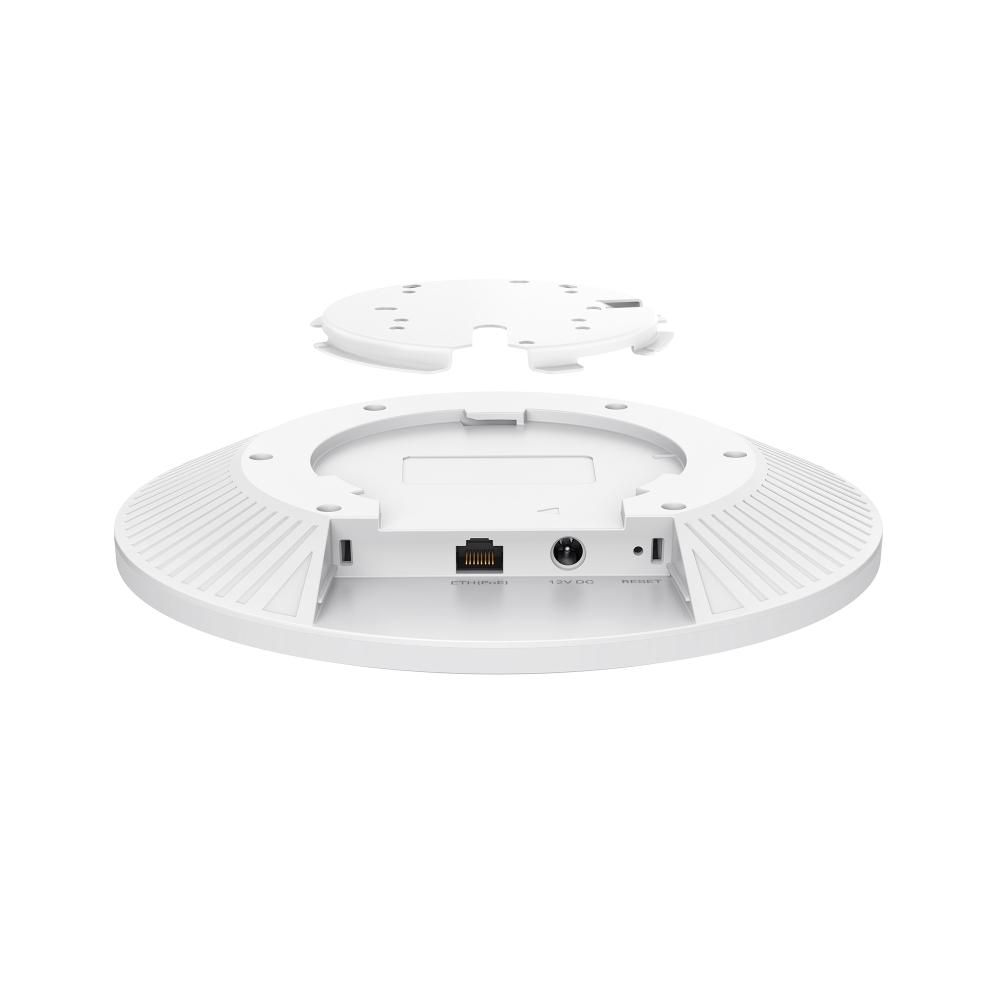
Read the power line twice. TP-Link’s marketing calls the port “10G PoE+” while the official spec table says 802.3bt. The honest install read: plan a budget of roughly 26 W per AP on your switch and use 802.3bt ports where you can. If you park them on 802.3at ports the AP degrades gracefully (it throttles 6 GHz transmit power to stay under 25 W) — it works, but you paid for a 6 GHz radio, so feed it properly.
The single 10G port is the star feature and also the gotcha. On a 9214 Mbps aggregate PHY the uplink will always be the bottleneck, but a clean 10G pipe means five or six Wi-Fi 7 laptops pulling real multi-gig throughput through one AP on a controller-managed VLAN is a normal Tuesday. What you cannot do is daisy-chain — one port, one run back to the switch. Budget the switch ports accordingly: an eight-port multi-gig or a 10G SFP+ edge on your Omada switch is what makes this AP sing.
Bluetooth 5.2 is on board (with a firmware caveat flagged right in the datasheet), which future-proofs it for asset-tag and BLE-assisted provisioning features as the Omada controller matures them. Bring firmware current at handover — it also unlocks the auto channel and power optimization features when the AP joins an Omada controller.
Mounting is the easy part: the disc is 32.5 mm thin with a groove around the top cover so it sits flush on tight ceiling tiles, and both ceiling and wall kits ship in the box. On a drop-ceiling grid I still use T-rails and j-hooks for the patch run — a 10G patch lead dangling off a grid tee is how link flaps get born.
Where I would spec it — and where I would not
Good fits: medium-to-large offices with 10G or multi-gig aggregation already in the MDF; creative shops running large-file wireless workflows on Wi-Fi 7 laptops; hospitality build-outs where 24 SSIDs, captive portal with SMS login and vouchers, and centralised Omada management replace a pile of per-site config; schools and clinics that want WPA3-Enterprise and rogue AP detection on a single pane of glass.
Not a fit: outdoor areas (it is an indoor ceiling unit, no IP rating listed), and dense-auditorium single-AP designs — that 380-concurrent-client figure is a lab aggregate across three radios. Per the vendor’s own footnote, real capacity is lower. Design for load balance across multiple APs and let band steering and AI roaming do their jobs.
Pros and cons
Pros: genuine 320 MHz / 6 GHz Wi-Fi 7 with MLO; 10G uplink on every unit; three radios with real per-band stream counts; mature Omada management stack with controller choice (hardware, software, or cloud); WPA3-Enterprise plus captive portal with SMS login; thin, low-profile ceiling disc; mount kits in the box; Bluetooth 5.2 on board.
Cons: no power adapter included; >25 W budget wants 802.3bt switch ports; one uplink, no link-aggregation option; cloud controller features (ZTP, auto RF) need a subscription; Bluetooth needs a firmware update; coverage per AP is still a single 2×3 dBi array per band, so dense designs need dense AP counts.
Bottom line
The EAP773 is what a mainstream Wi-Fi 7 office AP looks like in 2026: fast where it counts (6 GHz + MLO), honest radios, and the 10G port that separates the Wi-Fi 7 generation from the last one. If you are standardising a multi-site SMB wireless fleet on Omada, this is the ceiling AP to put on the estimate template — just budget PoE honestly, keep a controller (local or cloud) in the BOM, and design for client density rather than max PHY. Need help designing a Wi-Fi 7 rollout or putting Omada gear on a quote? Get in touch.
All specifications from the official TP-Link EAP773 product page; product photography courtesy of TP-Link.
