
TP-Link Omada SG6428XHP Review: The 720-Watt Stackable L3 Switch That Punches Above Its Price
Why an L3 Convergence Switch Matters on a Real Job
Most of the time a 24-port gigabit switch is just a box that makes the lights blink. But the moment a site grows past one closet — or you start stacking access points, cameras, and phones that all want PoE at once — the switch at the top of the stack becomes the thing that decides whether the network behaves. That is the job the TP-Link Omada SG6428XHP is built for: the convergence layer. Full Layer 3 routing, real stacking, dual power supplies, and a PoE budget big enough that you stop doing power-math on every port. I have been specing this one into a few quotes lately and it Earned a review spot on the blog.
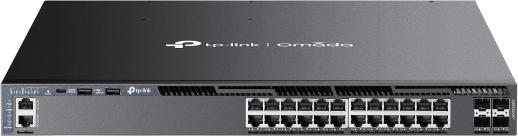
Verified Specifications (from TP-Link’s official datasheet)
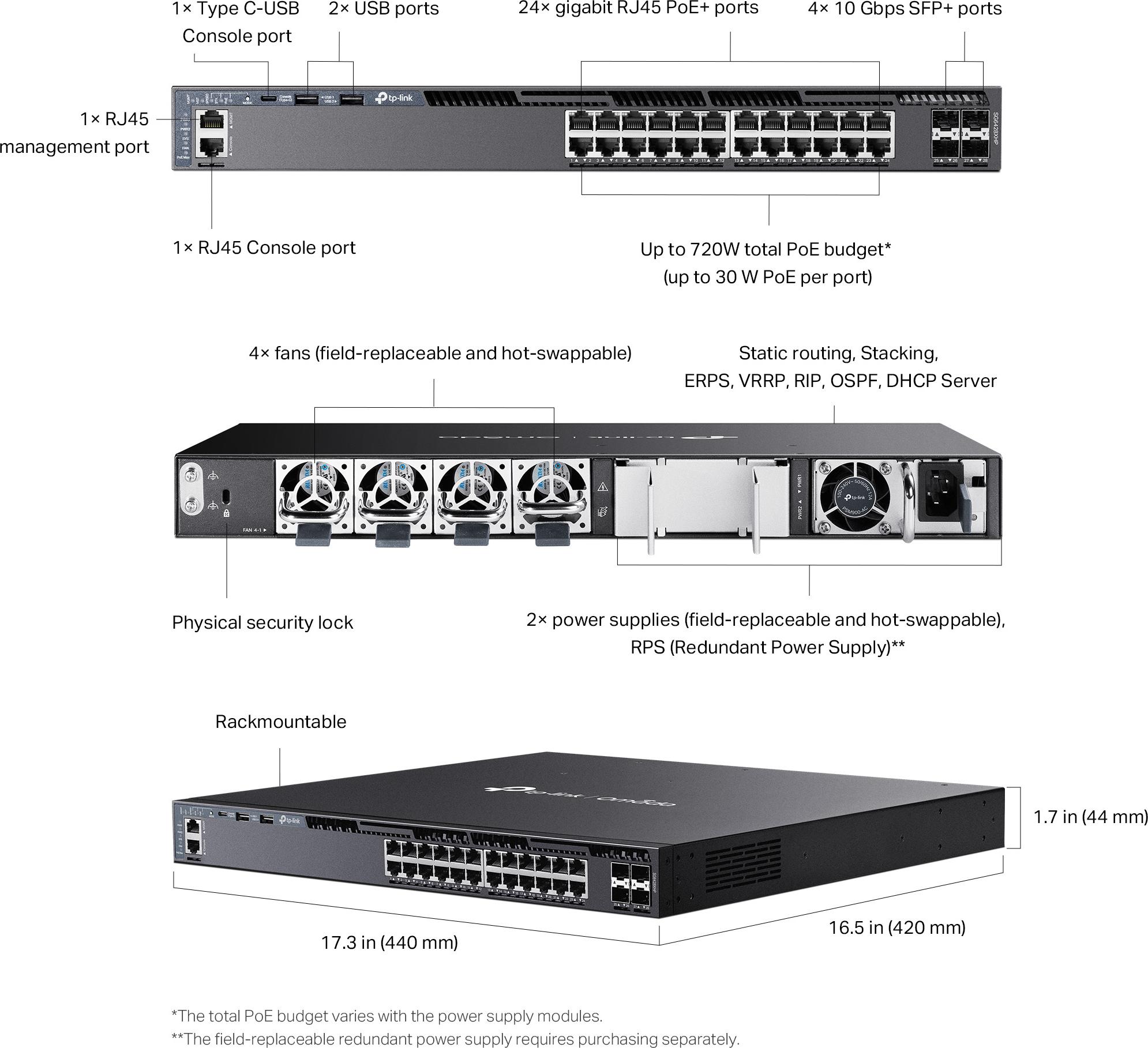
| Ports | 24x 10/100/1000 Mbps PoE+ RJ45 + 4x 10G SFP+ slots |
| PoE standard | IEEE 802.3af/at, up to 30 W per port, Perpetual PoE and Fast PoE |
| PoE budget | 402 W with one PSM500-AC (shipped); up to 720 W with PSM900-AC or dual PSM500-AC |
| Switching capacity | 128 Gbps; 64 Gbps forwarding bandwidth; 95.2 Mpps |
| MAC table / routes | 32K MAC addresses; 10,240 hardware route entries |
| CPU / memory | Dual-core ARM @ 1.5 GHz, 4 GB DDR4 DRAM |
| Layer 3 | Static routing, RIP, OSPF, ECMP, VRRP, PIM-DM/PIM-SM, DHCP server/relay |
| Stacking | Up to 8 units standalone / 4 via controller; up to 80 Gbps stacking bandwidth (4 stacking ports); MAD detection, virtual MAC |
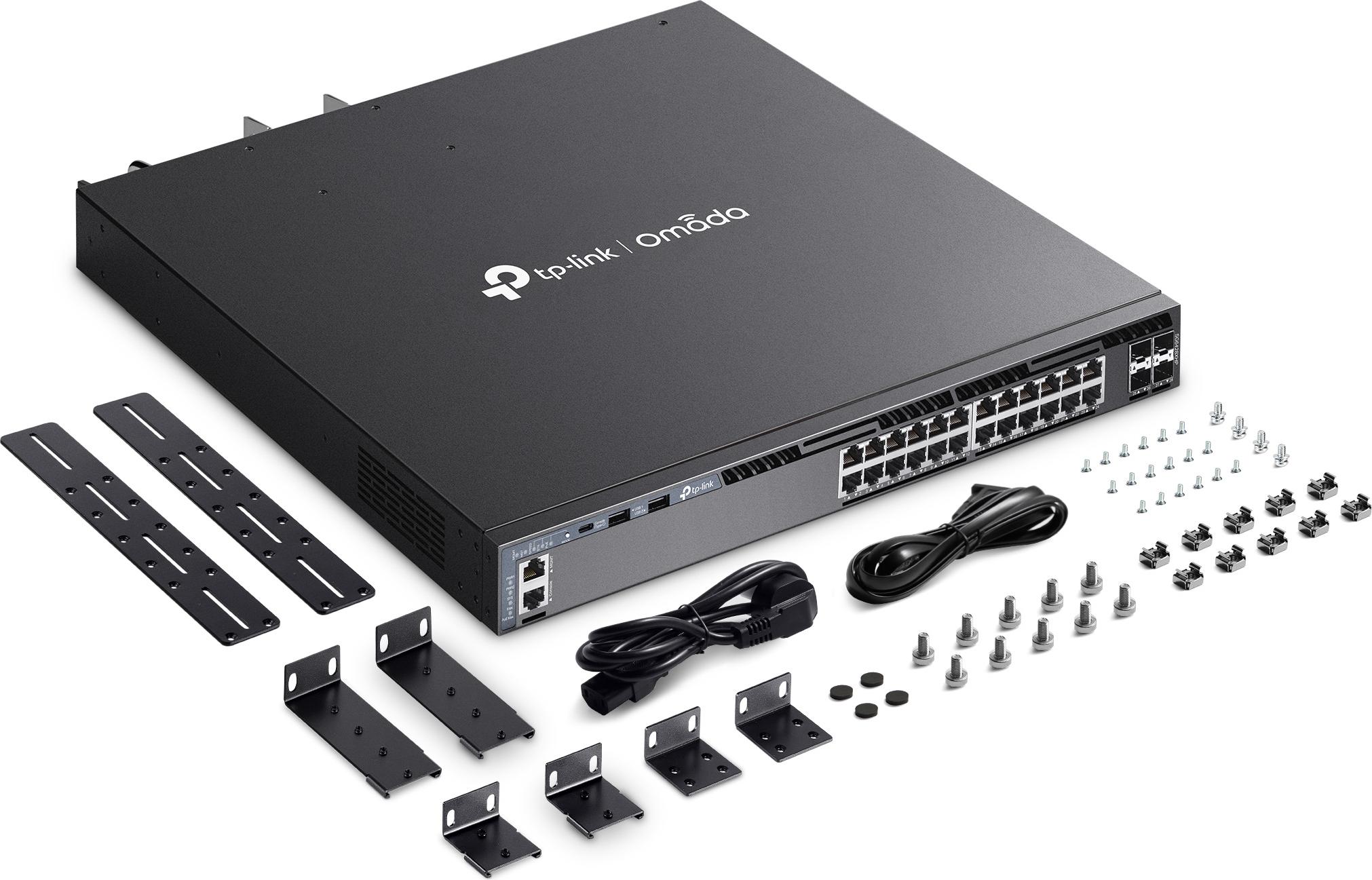
| Power | Two slots, hot-swappable N+1 redundant (one PSM500-AC ships in the box) |
| Reliability | ERPS ring protection, VRRP, 4 hot-swap fans (N+1), front-to-back airflow, MTBF ~753,531 h @ 25°C |
| Management | Omada SDN (cloud/controller + ZTP), standalone web GUI, CLI, SNMP v1/v2c/v3, RMON |
| Security | ACL (IPv4/IPv6), 802.1X, MAB, Dynamic ARP Inspection, port security, DoS defend, SSH |
| Physical | Rackmount, 440 x 420 x 44 mm, 7.64 kg; console RJ45 + USB-C; 2x USB 2.0 ports |
What Stands Out From an Installer’s Chair
The power budget is the headline. Four hundred and two watts on the shipped supply is already more than most 24-port switches in this price class. Add the second slot — a PSM900-AC or a second PSM500 — and you are at 720 watts, which is enough to run a full bank of 30-watt PTZ cameras or Wi-Fi 6/7 APs without playing roulette. Perpetual PoE is the feature I care about most here: the ports keep power to your devices while the switch itself reboots for a firmware update. Anybody who has had to walk a ladder to reboot a camera that dropped during a switch reload knows what that is worth in truck-rolls.
Real L3, not marketing L3. OSPF, ECMP, VRRP, PIM multicast, and a built-in DHCP server/relay with over 10,000 hardware route entries. On multi-VLAN commercial sites this means you can terminate routing at the distribution layer instead of hairpinning everything through the firewall. If you are still routing inter-VLAN traffic on an ER605 for a 60-VLAN site, this is the class of box you move that job to.
Stacking with actual redundancy. Eight units in standalone mode, four under controller management, stacking across SFP+ slots at up to 80 Gbps, with multi-active detection. For a two-closet warehouse or a two-building campus, a stacked pair gives you one management brain and surviving ring/crown topology — features that were enterprise-brand-only money five years ago.
Where I Would Spec It
- Multi-closet commercial sites — warehouses, light industrial, schools. Stacked pairs at the distribution layer, OSPF/VRRP where the core needs the resilience.
- PoE-heavy builds — a full 24 ports of cameras or APs simultaneously will starve a 370 W switch. At 720 W with dual supplies you stop counting.
- ISP and MDF applications — TP-Link explicitly targets this at SMB, enterprise, and ISP convergence. 6 kV surge protection on the power port and generous ESD ratings matter in buildings where “clean power” is wishful thinking.
- Omada shops — if your APs and gateways are already on Omada SDN with ZTP, adding this switch keeps one pane of glass across the stack.
Install Notes From the Field
A few things I would flag before you rack one. First, order the second power supply with the switch, not after the first outage window — the box ships with a single PSM500-AC, and the full 720-watt budget only exists on paper until that second module is clicked in. Second, mind the fine print on the SFP+ slots: only two of the four accept 10G RJ45 modules (slots 49 and 53), so plan your fiber versus copper uplinks before the truck loads. Third, the fan noise is honest rack-room noise — up to about 57 dBA at full tilt — so this does not belong in a closet above someone’s office. Fourth, if you stack through the Omada controller, your stack ceiling drops from eight units to four; standalone stacking keeps the full eight. None of these are dealbreakers, they are just the asterisks that separate a clean install from a callback. One last practical note: the console is RJ45 plus USB-C. The USB-C console is the one, and having the serial console on USB-C means one fewer dongle in the bag on a laptop-era service call — a small thing that you appreciate at seven in the morning on a ladder.
Pros and Cons
Pros:
- 720 W PoE budget with redundant supplies (best-in-class at this price point)
- Full L3 feature set: OSPF, ECMP, VRRP, PIM, DHCP server/relay
- Physical stacking up to 8 units with MAD and virtual MAC
- Hot-swap dual PSU and N+1 fans, front-to-back airflow — proper rack manners
- CLI for the techs who hate web GUIs; SNMP v3 for your monitoring
- Perpetual PoE keeps cameras/APs up through switch reboots
Cons:
- The second power supply is a separate purchase — budget the PSM500/PSM900 in the quote
- PoE ports are gigabit-only; if you need multigig access ports, TP-Link’s multigig line is the rung above
- Only two of the four SFP+ slots take 10G RJ45 modules, and only slots 49 and 53 (per the datasheet fine print)
- Stacking through controller drops from 8 units to 4 — plan accordingly if you run the Omada controller
- It is loud at full fan speed (up to ~57 dBA) — rack rooms only, not offices
Bottom Line
The SG6428XHP is the switch I reach for when a job steps out of “one closet, one switch” territory and into stacking, redundancy, and serious PoE draw — without stepping up into enterprise-brand pricing. Dual hot-swap supplies, L3 routing with OSPF and ECMP, an 80 Gbps stacking bus, and Perpetual PoE make it a legitimate convergence-layer switch, and the big power budget saves you truck-rolls on hot AP and camera builds. Add the redundant PSU to your quote and put it in a rack room, and it will quietly do a job that costs twice as much on the sticker-brand gear. If you want it priced into your next build, get in touch.
All specifications from TP-Link’s official SG6428XHP product page and datasheet; product imagery courtesy of TP-Link.
