
TP-Link Omada Pro S5500-24MPP4XF Review: The All-2.5G Access Switch That Does PoE++ Right
If your access layer is filling up with Wi-Fi 7 APs, PTZ cameras, and PoE++ doorbells, you already know the pain of a 24-port switch that can feed the clients but not the uplink. The TP-Link Omada Pro S5500-24MPP4XF is TP-Link’s answer for exactly that pinch point: twenty-four 2.5G copper ports with real PoE budgets, four 10G SFP+ uplinks, and L2+ features that finally reach into routing territory. Here’s the honest installer read.
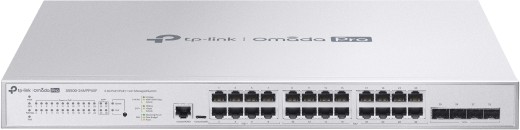
What the S5500-24MPP4XF actually is
This is not the consumer-style Omada line — it sits in TP-Link’s Omada Pro tier, which means it wants an Omada Pro controller (cloud-based or software) for the full experience, including zero-touch provisioning. Standalone management via web GUI, CLI, SNMP, and RMON still works, but the intelligent monitoring, batch config, and anomaly detection features are controller-gated.
Here’s the full verified spec sheet from TP-Link’s official product page:
| Spec | TP-Link Omada Pro S5500-24MPP4XF |
|---|---|
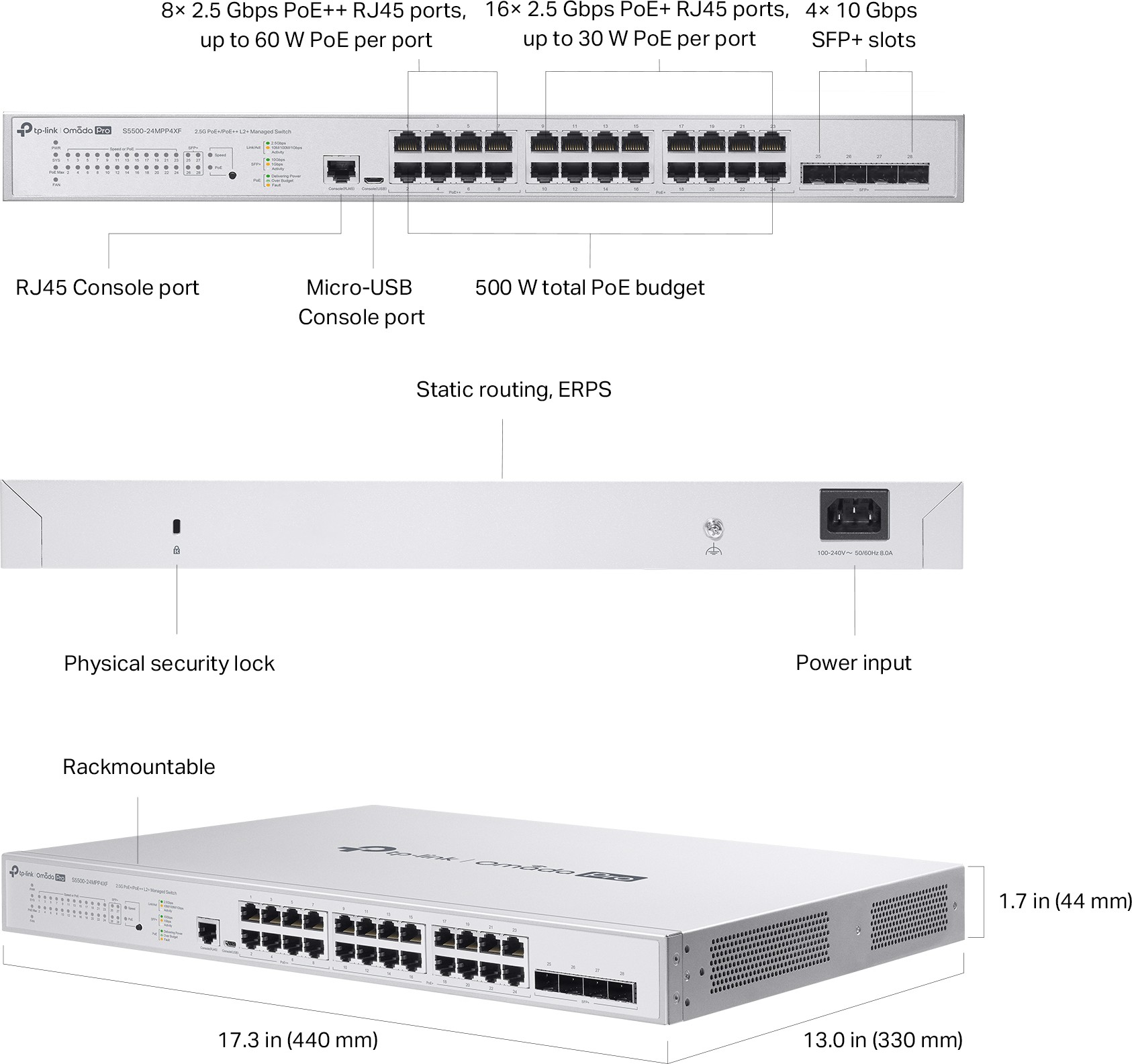
| Ports | 24× 2.5 Gbps RJ45 (8× PoE++, 16× PoE+) |
| Uplinks | 4× 10G SFP+ slots |
| PoE standards | IEEE 802.3bt/at/af (no Passive PoE) |
| PoE budget | 500 W total; up to 60 W per PoE++ port, 30 W per PoE+ port |
| Switching capacity | 200 Gbps |
| Packet forwarding rate | 148.80 Mpps |
| MAC address table | 32 K |
| Packet buffer | 16 Mbit; jumbo frames 9 KB |
| L3 features | 32 IPv4/IPv6 interfaces, 48 static routes, static ARP 128, DHCP server/relay, proxy ARP |
| L2/L2+ | LACP (8 groups), STP/RSTP/MSTP, loopback detection, port mirroring, QinQ, Voice VLAN |
| Resilience | ERPS, DLDP, 802.3ah OAM, DDM |
| Security | 802.1X (port/MAB/guest VLAN), TACACS+, DHCP snooping, DAI, IP source guard, storm control, 64 MACs/port security |
| Management | Web GUI, CLI (console/SSH/telnet), SNMP v1/v2c/v3 + RMON, Omada Pro controller & app, ZTP (cloud controller) |
| Fans / power | 3 fans; 100–240 V AC; max draw 629.1 W at 110 V with full 500 W PoE load |
| Dimensions | 17.3×13.0×1.7 in (440×330×44 mm), rack mountable, security lock |
| Operating range | 0–40 °C, 10–90% RH non-condensing |
| Certification | FCC, CE |
The headline numbers that matter on a job
The 500 W budget with 60 W per-port capability is the real story. Eight 802.3bt ports means you can hang a Wi-Fi 7 AP that asks for 50 watts, or an MD-PTZ with a heater/blower, without praying over the power budget screen. Sixteen 30 W ports handle the Wi-Fi 6/6E crowd and the fixed domes. TP-Link is honest that the 500 W is a lab number that varies with environment — but the headroom is real, and at full tilt the box pulls under 630 W, which is a normal circuit in most comms closets.
Every copper port is 2.5G. That’s the quiet differentiator — this isn’t eight multigig ports bolted onto a gigabit switch. Every client gets the speed the client supports, which kills the “why is my BE9300 AP crawling” support call before it starts.
Four SFP+ uplinks behind a 200 Gbps backplane means you can bond 10G uplinks (LACP supports 8 groups) toward an ER8411 or ER707-M2 gateway and stop thinking about the access layer entirely. One quirk straight from TP-Link’s own page: it recommends only one SM5310-T copper SFP+ module in this switch — plan your cage population accordingly.
Installer notes from the rack
A few things I’d flag before you mount one. First, power: at a full 500 W PoE load the switch itself pulls enough that the whole package lands near 630 W at 110 V. That’s fine on a dedicated 15 A circuit, but do not hang it on the same circuit as a small UPS charging bank and expect headroom. Second, the console: you get both an RJ45 console port and a micro-USB console port, which is a nice touch for field work — no dongle hunt when the laptop only has USB-C. Third, cable the PoE++ ports first: the eight 60 W ports are the ones your big APs and PTZs land on, so reserve them physically (label them) before anyone starts patching random patch panels into them.
On uplinks, TP-Link’s one-SM5310-T recommendation is unusual enough that you should read it twice. If you need multiple copper 10G uplinks, budget for a small patch panel with fiber runs instead, or mix in fiber SFP+ modules — that’s the clean way to populate all four cages. And if you’re running this alongside a TP-Link router like the ER8411 or ER707-M2, keep ERPS rings on the Pro controller side where you can see the topology; the feature works standalone, but the troubleshooting story is much worse without the controller view.
Pros and cons
Pros:
- Genuinely all-multigig access layer — 24× 2.5G copper, not a marketing mix
- Eight 802.3bt PoE++ ports (60 W each) inside a 500 W budget — Wi-Fi 7 APs and PTZ cams on the same switch
- L2+ features (static routing, static ARP, DHCP relay/server) cover the small-site router-on-a-stick job on quiet networks
- ERPS, DLDP, OAM, and DDM at a price where the big three brands charge an enterprise tax
- Full 802.1X suite with TACACS+, DAI, and source guard — MSP compliance checklists fill themselves
- CLI, SNMPv3, RMON, and remote packet capture for people who refuse to run a controller
- Zero-touch provisioning through the Omada Pro cloud — genuinely nice for multi-site rollouts
Cons:
- No Passive PoE — legacy 24 V gear and some surveillance bridges need a splitter or a different port
- The smart features (batch config, anomaly detection, intelligent monitoring, ZTP) need the Omada Pro controller, not the free software controller many shops already run
- 48 static routes and 32 L3 interfaces is “L2+” for a reason — this is not a core router
- Three fans and a 629 W ceiling: it belongs in a ventilated rack, not a ceiling cavity
- 13-inch depth — measure your wall-mount rack before ordering
Where I’d install it
The 2.5G transition site. Cat6 to every desk, a couple of Wi-Fi 7 APs on the ceiling. The S5500-24MPP4XF is the access switch where gigabit switches choke at 1.5 Gbps per client and everything runs cool at 2.5. Bond 10G fiber uplinks to the core and call it done.
Camera-heavy small business. Eight PoE++ ports for PTZs and door stations, sixteen PoE+ for fixed domes, one circuit with room to spare. DHCP snooping, DAI, and storm control come standard, so the security audit fills itself in.
Multi-site MSP rollouts. ZTP through the Omada Pro cloud controller means a tech shows up, patches the uplink, powers on, and the site adopts itself. Batch firmware on Monday, sleep Tuesday.
Where I wouldn’t: a passive-PoE-only farm, a hot unventilated enclosure, or anywhere you need dynamic routing — OSPF/BGP wants a bigger box upstream.
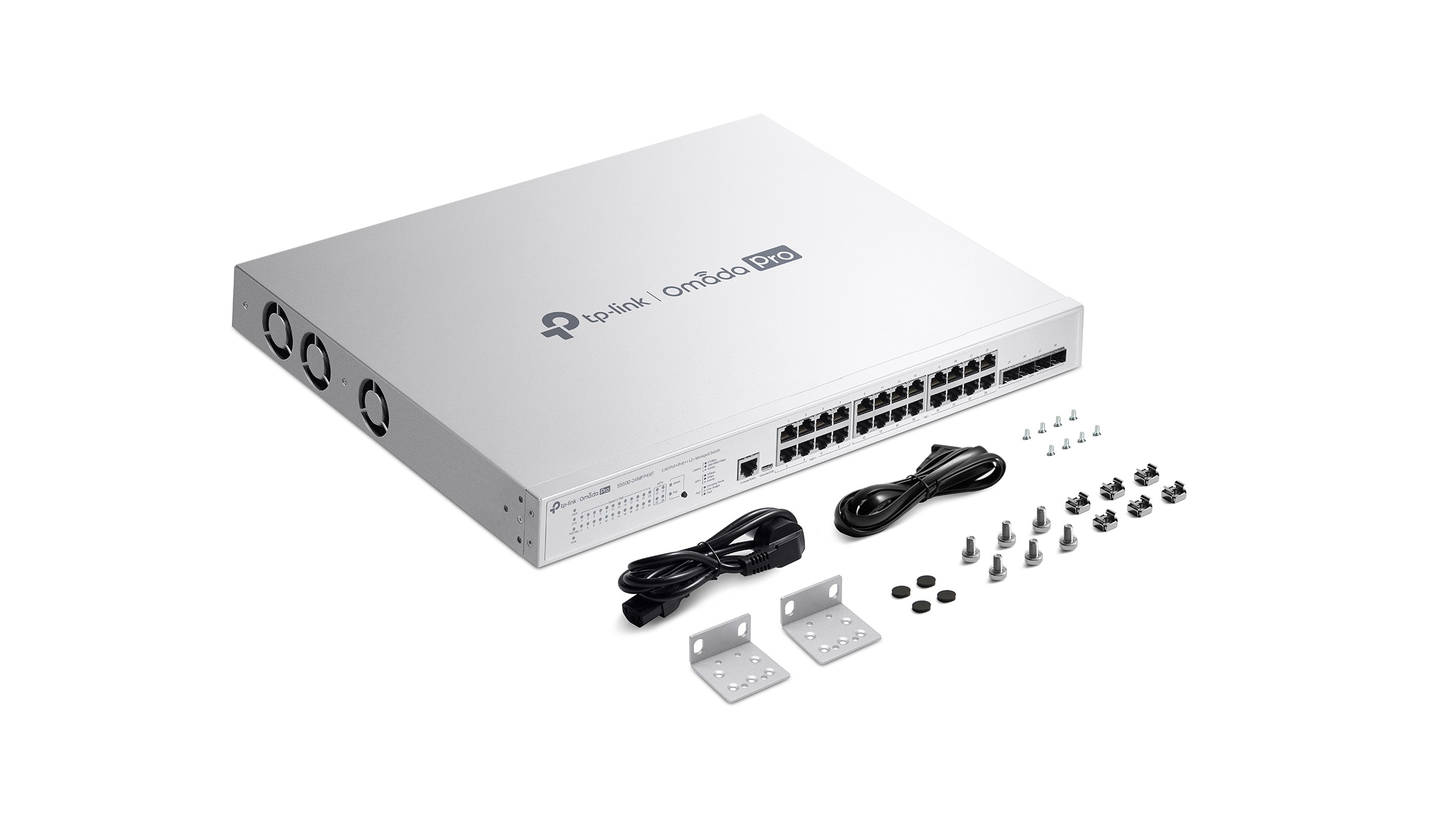
Bottom line
The S5500-24MPP4XF is the switch you buy when gigabit is dead in your access layer but enterprise pricing isn’t dead yet. All-multigig copper, usable PoE++ budgets, and enough L2+ feature depth to keep an MSP out of trouble — and its weaknesses (Pro-controller gating, no passive PoE, modest L3 tables) are honest ones you can plan around on day one. If your site is already Omada Pro, this is the obvious access layer. If it isn’t, price the controller honestly against the switch and decide — but don’t let that make you spec gigabit ports in 2026.
Specifications and product imagery courtesy of TP-Link’s official product page for the Omada Pro S5500-24MPP4XF.
Need help speccing an access layer for your site? Get in touch →