
TP-Link EAP673 Review: The Wi-Fi 6 AP Where the 2.5G Uplink Finally Matches the Radio
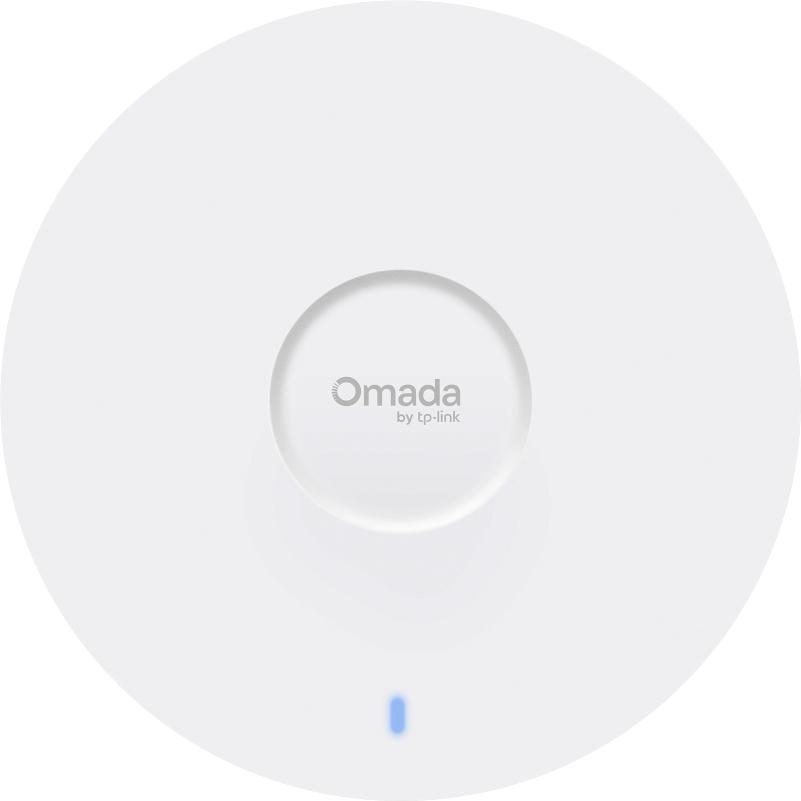
Most installer shops treat a Wi-Fi 6 access point as a commodity: slap the cheapest ceiling disc on the bill of materials, wire it to a PoE switch, and move on. But there’s a quiet line in the EAP673’s spec sheet that separates it from the AX3000 shelf ware — a single 2.5 Gigabit uplink port. On paper that’s one number. On a job site, it’s the difference between an AP that can actually use its radio and one that bottlenecks the moment two people open a video call.
After walking through the verified specs on TP-Link’s official Omada page, here’s why this AX5400 ceiling AP earns a permanent spot in my standard quote for mid-size offices, and where it still falls short.
What the EAP673 Actually Is
The EAP673 (V2 at time of writing) is TP-Link’s upper-mid-tier ceiling-mount access point in the Omada business line. It’s a dual-band Wi-Fi 6 AP running six total spatial streams — 4×4 on 5 GHz and 2×2 on 2.4 GHz — which adds up to the AX5400 rating: 4,804 Mbps theoretical on 5 GHz and 574 Mbps on 2.4 GHz. That 4×4 MU-MIMO (downlink and uplink) on the 5 GHz band is the real story. Plenty of “AX3000” competitors are 2×2 on both bands, which halves your MU-MIMO capacity the moment the room fills up.
TP-Link rates it for 250+ concurrent clients and up to 1,500 square feet (140 m²) of coverage, both with the usual lab-testing caveats printed on the datasheet — real numbers depend on construction, interference, and client devices.
Verified Specifications
All of this is pulled straight from TP-Link’s official EAP673 specification page — no guessing.
| Feature | EAP673 V2 |
|—|—|
| Radio | Wi-Fi 6 (802.11ax), dual-band 2.4 + 5 GHz |
| Max PHY rate | 4,804 Mbps (5 GHz) + 574 Mbps (2.4 GHz) |
| MU-MIMO | 4×4 DL/UL MU-MIMO on 5 GHz |
| Channel bandwidth | Up to 160 MHz (HE160, 5 GHz only) |
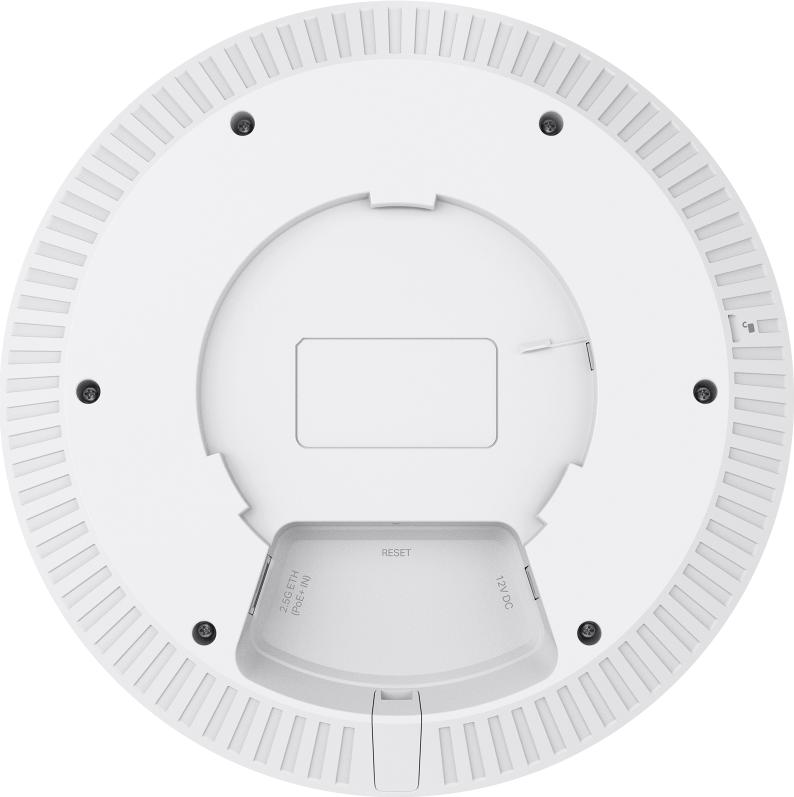
| Wired uplink | 1x 2.5 Gigabit RJ45 |
| Power | 802.3at PoE or 12V/2A DC (adapter not included) |
| Max power draw | 22.3 W |
| Antennas | Internal omni — 2x 4 dBi (2.4 GHz), 4x 5.5 dBi (5 GHz) |
| Bluetooth | v5.2 |
| Coverage (lab) | Up to 1,500 ft² / 140 m² |
| Clients | 250+ concurrent |
| SSIDs | Up to 16 (8 per band) |
| Security | WPA3 Personal/Enterprise, WPA2, WPA, 802.1X, captive portal, rogue AP detection |
| Roaming | 802.11k/v/r seamless roaming (controller required) |
| Mesh | Omada Mesh (controller required) |
| Management | Omada Cloud/SW/Hardware controller, web UI, SSH, SNMP v1/v2c/v3, ZTP |
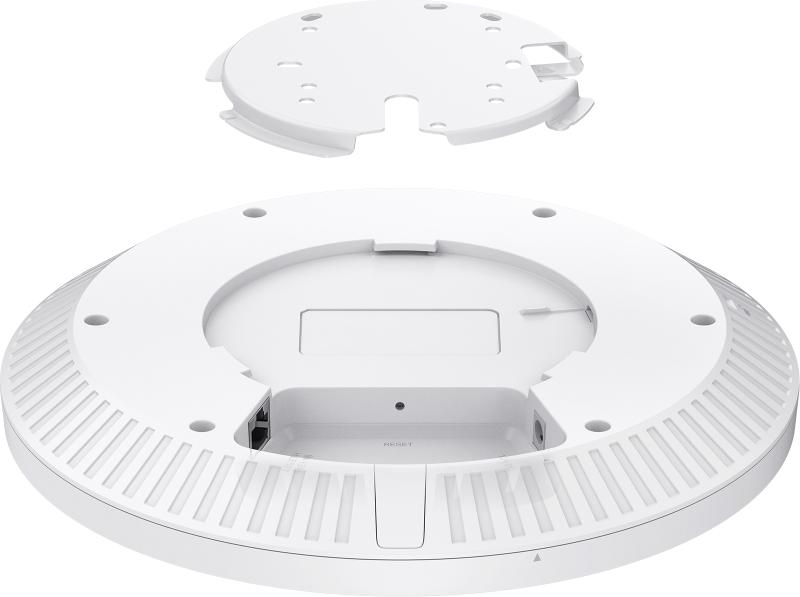
| Mounting | Ceiling, wall, or junction box — kits included |
| Dimensions | 8.7 x 8.7 x 1.3 in (220 x 220 x 32.5 mm) |
| Weight | 0.68 kg (1.5 lb) main unit |
The Install Notes That Matter
The 2.5G port changes the switch conversation. An AP with a 2.5G uplink is only as fast as the port it lands on. If you’re dropping these into a legacy gigabit switch, you’ve capped a 4.8 Gbps radio at 1 Gbps — fine for most browsing, but you paid for capability you can’t bank. Pair it with one of Omada’s multi-gig PoE switches (or at minimum an 802.3at port that can feed the full 22.3 W draw) and the whole chain makes sense. Budget note for quoting: 802.3at is PoE+ — make sure your switch budget has ~25 W per AP, not the 15.4 W of plain 802.3af.
160 MHz is the throttle unlock — when regulations allow it. The V2 gets HE160 on 5 GHz, and TP-Link’s own fine print flags that 160 MHz may be unavailable in some regions due to regulatory restrictions. In the US you’re generally fine; verify the domain on the unit you ship if the job is international. Also remember both OFDMA and MU-MIMO only do their thing when the clients support them — a room full of legacy laptops flattens the advantage fast.
Controller required for the good stuff. Mesh, seamless roaming (802.11k/v/r), captive portal, and cloud management all require an Omada controller — OC200/OC300 hardware, software instance, or Omada Cloud. Standalone web management works, but you lose the features people actually buy Omada for. On a multi-AP job, the controller is part of the bill of materials. Period.
Mounting hardware is in the box. Ceiling, wall, and junction-box kits are all included — TP-Link ships the plates, which is more than I can say for some competitors. The Bluetooth 5.2 radio also helps with the Omada app’s on-site discovery and provisioning when you’re on a ladder and don’t want to hunt for the AP’s IP.
Pros and Cons
Pros:
– True 4×4 MU-MIMO on 5 GHz with 160 MHz — real-world throughput headroom most AX3000 APs can’t match
– 2.5 GbE uplink so a fast radio isn’t chained to a slow wire
– Full WPA3 Enterprise + 802.1X — fine for compliance-driven environments
– 16 SSIDs with SSID-to-VLAN mapping and captive portal (controller-managed)
– Mounting kits included; low-profile 32.5 mm housing disappears on a ceiling tile
– Runs on Omada SDN with the same controller as switches and gateways — one pane of glass
– Quiet: no fans, sealed enclosure, runs within the 0–40 °C envelope
Cons:
– Single Ethernet port — no link aggregation or daisy-chain pass-through; a bad port kills the AP entirely
– 2.5G uplink demands a multi-gig switch port to show what it’s got
– Mesh, roaming, captive portal, and cloud all require a controller — not fully featured standalone
– DC power adapter not included in the box
– No 6 GHz — it’s Wi-Fi 6, not Wi-Fi 7, so no MLO and no 6 GHz client pool if you’re standardizing on newer handsets
Where It Fits on a Job
This is my default AP for 3,000–8,000 square foot offices with dense client counts — open floors, conference rooms, light industrial. The 250-client rating plus true 4×4 MU-MIMO means a conference room full of laptops on Wi-Fi 6 clients actually behaves. In mixed construction (metal decking, glass), stage two APs on HE80 and let band steering do its job rather than chasing the 160 MHz number.
It’s also the right pick when a client wants Omada’s centralized cloud and captive-portal guest access without paying flagship-tier money — the feature set here is identical to the higher-end Omada models because the features live in the controller.
Skip it for: single-tenant residential (a wall plate AP is cheaper and closer to the clients), harsh outdoor environments (get an outdoor model), and shops already standardized on Ubiquiti — mixing controller ecosystems on one site is a support headache you’ll own forever.
Bottom Line
The EAP673 is the sweet spot in Omada’s current Wi-Fi 6 lineup: a genuinely fast 4×4 radio, a 2.5G uplink that doesn’t lie about its speed, full enterprise security, and the Omada controller ecosystem behind it — at a price that still leaves margin on a quote. If you’re specifying Wi-Fi 6 for a commercial space and you’re already on Omada switching, put this on the BOM and stop upselling yourself past it. And if the client’s budget stretches to multi-gig on every access port, you’ll want the switches and the APs on the same controller from day one — that’s the kind of build worth a conversation. Get in touch if you want one designed.
Specifications sourced from TP-Link’s official EAP673 product page; product images courtesy of TP-Link, white space cropped.