
Ubiquiti UniFi Express 7 (UX7) Review: The Mesh Node That Replaced My Home Gateway
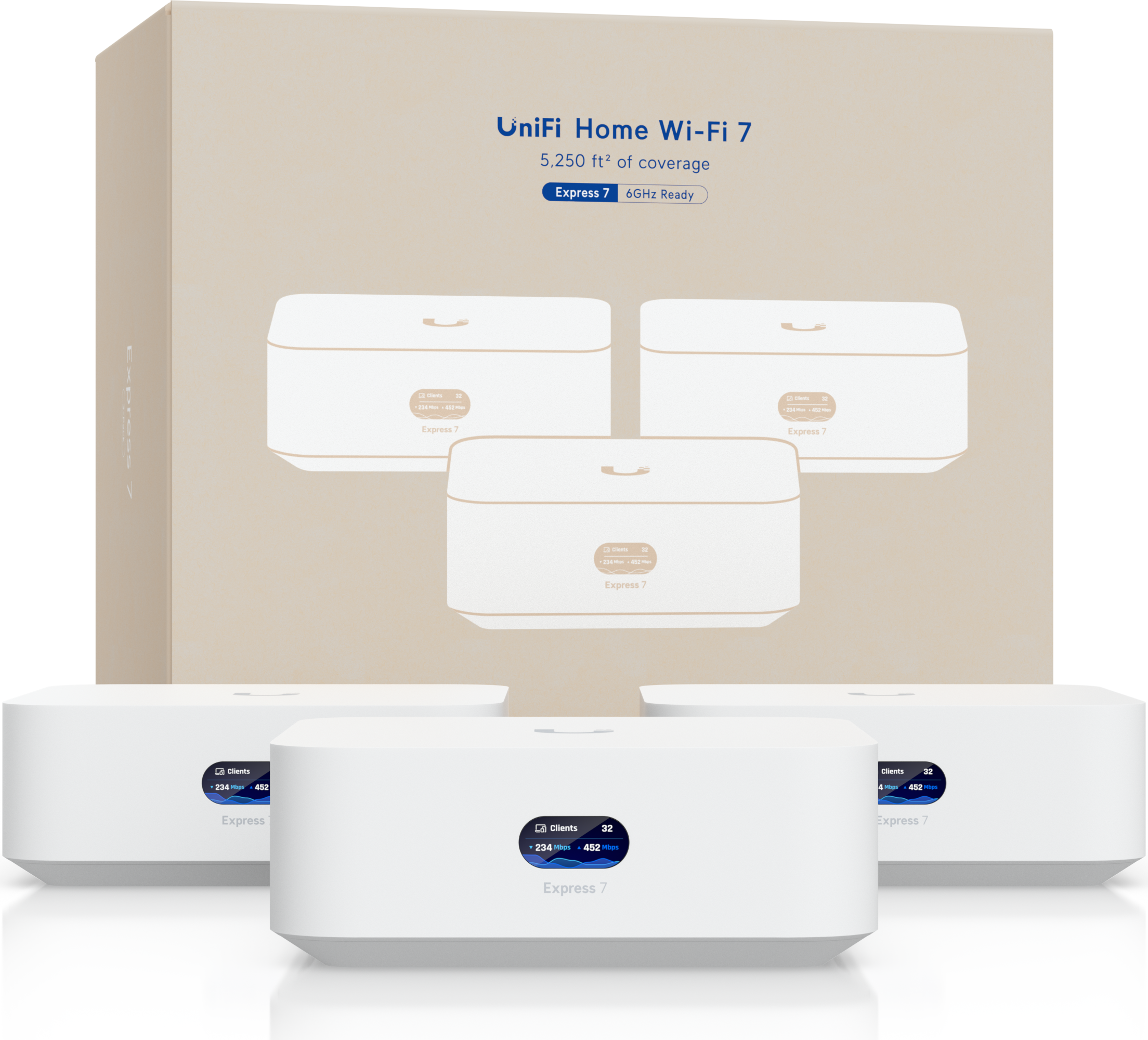
What the UX7 Actually Is
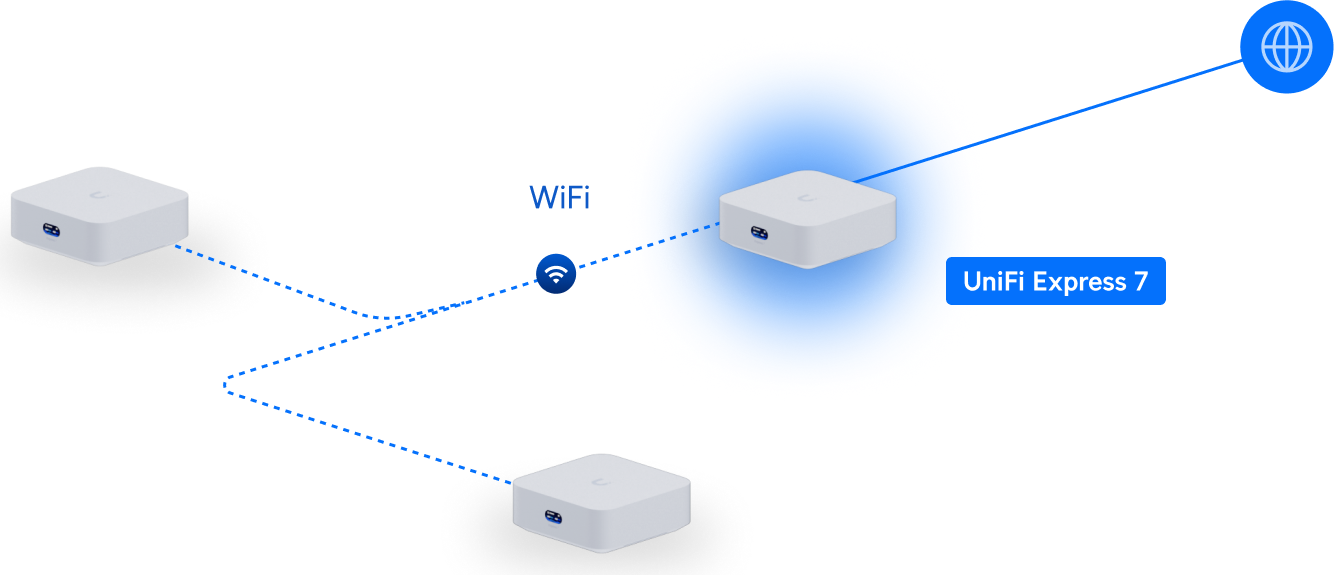
The UniFi Express 7 is Ubiquiti’s second-generation “Express” — a pocket-sized box that is simultaneously a cloud gateway, a WiFi 7 access point, and a mesh node. Buy one and it runs your whole site: one 10G RJ45 WAN in, one 2.5G LAN out, full UniFi Network stack running locally on the device, and tri-band WiFi 7 radios with a real 6 GHz band. Buy two or three and it’s a plug-and-play Whole Home WiFi system with true 10G Multi-Link Operation between nodes.
That dual nature is the whole point. Previous Express units (UX, UX7’s predecessor UX7-excluding gen) were gateways-first with WiFi bolted on. Ubiquiti’s own listing markets this one under “Whole Home WiFi” first — the gateway functionality is the bonus. For an installer, that reframing matters: you’re not selling a router with WiFi, you’re selling mesh coverage that happens to eliminate the need for a separate gateway on small sites.
Verified Specifications (official Ubiquiti spec sheet)
| Item | UniFi Express 7 (UX7) |
|---|---|
| WiFi standard | 802.11be WiFi 7 (also 6E/6/ac/n/g/a) |
| Max throughput | 6 GHz: 5.7 Gbps / 5 GHz: 4.3 Gbps / 2.4 GHz: 688 Mbps (MLO combined) |
| MIMO | 2×2 DL/UL MU-MIMO on all three radios |
| Antenna gain | 6 dBi (6 GHz) / 7 dBi (5 GHz) / 4 dBi (2.4 GHz) |
| Max TX power | 24 dBm (6 GHz) / 26 dBm (5 GHz) / 23 dBm (2.4 GHz) |
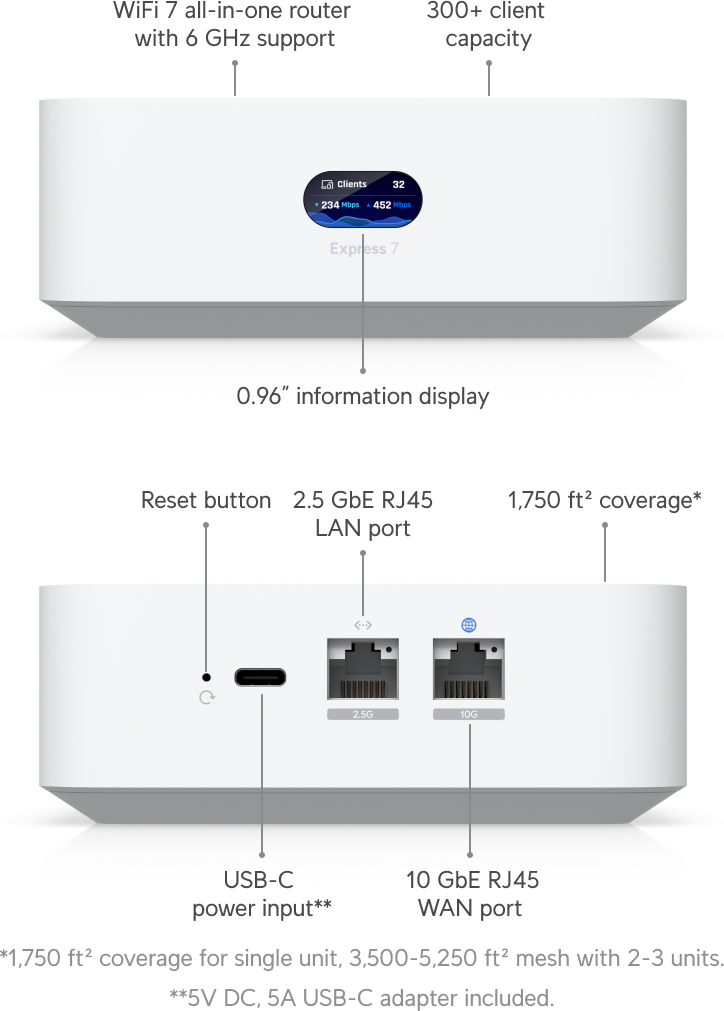
| WAN | (1) 10 GbE RJ45 (10G/5G/2.5G/1G/100M) |
| LAN | (1) 2.5 GbE RJ45 (2.5G/1G/100M/10M) |
| IDS/IPS throughput | 2.3 Gbps |
| Managed devices / users | 30+ UniFi devices, 300+ simultaneous clients |
| Coverage | 160 m² (1,750 ft²) per unit (single-unit deployment) |
| Processor / memory | Quad-core ARM Cortex-A53 @ 1.5 GHz / 3 GB |
| Firewall | Stateful, application-aware L7, zone-based filtering, content filtering, ad blocking, IDS/IPS |
| VPN | License-free SD-WAN, site magic, IPsec, OpenVPN, WireGuard, Teleport zero-config VPN, L2TP |
| Routing | OSPF dynamic routing, policy-based WAN/VPN routing, advanced QoS, IGMP proxy |
| Power | USB-C 5V/5A (adapter included), max 22W |
| Size / weight | 117 x 117 x 42.5 mm, 443 g, polycarbonate enclosure, 0.96″ status display |
| Operating range | -10 to 40°C, 5–95% non-condensing, NDAA compliant |
| Wireless security | WPA-PSK / WPA-Enterprise (WPA/WPA2/WPA3/PPSK), 4 BSSIDs per radio |
| Requires | UniFi Network 9.0.108 or later |
Pricing from Ubiquiti’s US store at time of writing: $199 single unit, $379 two-pack, $559 three-pack.
What the UX7 Gets Right
- Real 10G MLO, not marketing MLO. WiFi 7’s headline feature is Multi-Link Operation — bonding the 5 GHz and 6 GHz radios. Ubiquiti quotes 5.7 Gbps on 6 GHz alone, which means a WiFi 7 laptop with a 2×2 BE card genuinely moves more than gigabit traffic over the air. If your client devices support it, the UX7 is the first Express that can outrun its own… second port. The first port is 10G — that’s the WAN. The LAN side is 2.5G, and that is the ceiling for wired clients.
- The gateway stack is not crippled. Full UniFi Network app runs on-device: stateful firewall, L7 application-aware policies, IDS/IPS with 20,000+ signatures via CyberSecure, OSPF, integrated RADIUS with RadSec. On a small site this replaces a Cloud Gateway Express/Max and an AP.
- Whole Home WiFi is genuinely plug-and-play. Mesh nodes adopt through the lead unit automatically, with placement guidance built in. For a reseller doing one-day home installs, that’s the feature that pays the electric bill.
- USB-C power at 22W max. Odd on a gateway, great in practice — PoE-powered USB-C adapters let you put a node somewhere with only ethernet, and the travel-friendly brick is standard.
- NDAA compliant. Matters for government, municipal, and federally-funded sites where Chinese-brand APs are banned.
Where It Falls Short
- One 2.5G LAN port. The gateway does 10G on the WAN side only. Anything wired off this box tops out at 2.5G unless you hang a switch off that single port. Fine for a house; a real constraint for any site with more than a couple of wired runs.
- 30-device / 300-client ceiling. That’s Ubiquiti’s own managed-device figure. Beyond a large house or micro-office you’re buying a real gateway — the ceiling isn’t a software tier, and you can’t grow into it.
- IDS/IPS tops out at 2.3 Gbps. If you have a 2.5 or 10G symmetric fiber plan and want the IPS on, expect the engine to bottleneck below the pipe. Same class limitation on every Express-class box, but the 10G WAN port advertises throughput the security stack can’t fully police.
- 3 GB RAM. Plenty for Network-only. Don’t load Protect, Access, or Talk onto it — this is not a Dream Machine substitute.
- Needs UniFi Network 9.0.108+. Sites still on older controller branches need the upgrade before adoption.
Where It Fits in the Lineup
| Factor | UX7 (Express 7) | UCG-Max / UCG-Fiber (gateways) |
|---|---|---|
| Primary role | Mesh AP first, gateway second | Gateway first, no WiFi |
| WAN | 1x 10G RJ45 | 2.5G (Max) / 10G (Fiber) |
| WiFi | Tri-band WiFi 7, MLO | None |
| Managed devices | 30+ | Higher tiers for larger sites |
| Good for | Homes, micro-offices, mesh | Sites with a switch-first design |
The buy rule is simple: if the site needs more than one or two wired runs, a gateway plus APs is still the architecture. The UX7 wins when one node can be the gateway and the AP, or when mesh coverage is the product and the gateway is free money.
Install Notes from the Field
Placement guidance is the product. Ubiquiti built intelligent placement guidance into the Whole Home WiFi flow because the 6 GHz band dies through framing faster than 5 GHz. Mount nodes high, keep line of sight between nodes where you can, and don’t put the lead unit in a closet behind the drywall the WAN enters — its antenna pattern assumes open space.
Count the cable as part of the product. The MLO promise is wireless; the wired backhaul between nodes is one 2.5G port each. A three-pack with switches between nodes loses the “just plug it in” magic. Plan node placement so wireless backhaul carries the mesh, and use the 2.5G ports for drop clients.
Meter the WAN before you promise throughput. The 10G WAN port will happily run at 10G, but the on-device IDS/IPS is rated at 2.3 Gbps. If the customer’s plan is above that and they want protection on, either accept the ceiling or spec a bigger gateway with the UX7 as an AP node — the architecture handles both.
Power planning. USB-C 5V/5A is unusual for a fixed install. The optional PoE-integrated adapter (sold as an accessory on Ubiquiti’s store) is the clean way to power a ceiling/wall-mounted node off a PoE run — cheaper than they should be at $49, but it keeps the install tidy.
Bottom Line
The UX7 is the first Express I’d sell as a primary gateway without hesitation for homes and micro-offices — WiFi 7 with real MLO throughput, the full UniFi security stack on-board, NDAA compliance, and mesh expansion that a non-technical customer can execute alone after you leave. Respect the one 2.5G LAN port and the 30-device ceiling and it will never surprise you; price it at $199 a node and it quietly kills every “gaming router” the customer was considering. If the site needs a switch, a rack, or more than three nodes, step up to a Dream Machine or UCG gateway and put a plain AP on the UX7’s pedestal.
Source Note
All specifications and pricing verified from the official Ubiquiti US store product page for the UniFi Express 7 (store.ui.com, November 2026); product imagery credit Ubiquiti, Inc.
Questions about UniFi site design or a Whole Home WiFi quote? Get in touch.